Spaceship vs Namecheap: same founder, which registrar should you choose?
Spaceship vs Namecheap: two registrars from the same founder, compared on renewals, WHOIS privacy, DNS, email and hosting, with the one I use and why.
Spaceship is the newer registrar that Namecheap built and unveiled in August 2023, so you are choosing between two platforms from the same founder, not between two rivals. For a new domain I would take Spaceship, which I use by habit: its dashboard is more modern, and its .com and .co.uk renewals cost less than Namecheap’s. If your domains are already at Namecheap and everything works, there is no reason to move them.
Spaceship vs Namecheap is an odd comparison, because the two registrars come from the same house. Namecheap built Spaceship and unveiled it in August 2023, so you are choosing between an older platform and a newer one, not between two rivals. I trust both. Spaceship is the one I use by habit, and to me it is an up-to-date version of Namecheap.
This comparison covers what changes in practice: what you pay from the second year, privacy, DNS, email, hosting and support. Prices are in US dollars, as listed at the time of writing (October 2026); the pound amounts are approximate and move with the exchange rate.
If the difference between a registrar, a web host and an email provider is still fuzzy, my guide to domain vs hosting sets out what each one does. For a wider view, I compare six registrars, these two included, in my guide to the best domain registrar in the UK.
Spaceship vs Namecheap at a glance
A domain registrar is the company you rent your domain name from, year after year, and whose dashboard decides where that name points. On the points that matter to a small business, the two compare like this.
| Spaceship | Namecheap | |
|---|---|---|
| Started | Unveiled by Namecheap in August 2023 | Founded in 2000 |
| Who is behind it | Namecheap and its founder, Richard Kirkendall | Its founder, Richard Kirkendall |
| .co.uk | $5.42 (about £4) a year, renewal included | $6.98 (about £5) the first year, then a higher renewal |
| .com renewal | Lower than Namecheap’s in the 2026 price trackers | Higher; the first year is often discounted |
| WHOIS privacy | Free on eligible domains | Free on eligible domains (Withheld for Privacy) |
| DNS | One Advanced DNS page: records, nameservers and DNSSEC | Advanced DNS tab for records, Domain tab for nameservers |
| Redirects | Free HTTPS redirects, 301 or masked | URL Redirect Record in Advanced DNS |
| Spacemail | Private Email | |
| Hosting | Web Hosting, Starlight cloud, AI website builder | Shared, WordPress, VPS and dedicated hosting |
| Support | Around the clock, in my experience | Around the clock, in my experience |
| Best for | New domains and new projects | Existing accounts, and extensions Spaceship does not sell |
Why Namecheap built Spaceship
Spaceship is a domain registrar and web platform built by Namecheap, the registrar Richard Kirkendall founded in 2000. Namecheap unveiled it in August 2023, with an open beta. It is an ICANN-accredited registrar in its own right, with its own website and its own prices.
As for why, Namecheap’s stated aim was to remove the technical hurdles customers meet with DNS, subscriptions and switching between add-ons, so they get online faster. Kirkendall framed Spaceship as a push for an open internet, where many products and services work together instead of keeping you inside one closed ecosystem. I have not found an interview where he goes further than that, so I will not put words in his mouth.
From the customer’s side, the result feels like Namecheap redesigned for today: the same idea of fair prices, with a newer dashboard where domains, email and hosting sit together. People noticed. Namecheap reported more than 750,000 domains managed on Spaceship by April 2024, and the trade press reported one million by June 2024.
Domain prices: the first year and the renewal
Every extension on a registrar’s price list has two prices: the first year, and the renewal you pay every year after that. The first is the advert. The second is what the domain really costs you over five or ten years.
That is where I judge registrars. I have seen other providers, Hostinger and GoDaddy among them, charge far more from the second year than in the first. I have not had that surprise at Spaceship or Namecheap, and I find both fairly priced. At the time of writing (October 2026):
- .co.uk: Spaceship charges $5.42 a year (about £4), and the renewal costs the same as the first year; the full list is on Spaceship’s domain price page. Price trackers put Namecheap’s first year at $6.98 (about £5) and its renewal higher still, though they disagree on how much higher. Either way, Spaceship is the cheaper of the two, in the first year and after.
- .com: every price tracker I checked shows Spaceship renewing a .com for several dollars a year less than Namecheap, but the trackers disagree on the exact amounts, so I am not quoting a figure. Compare the renewal line on both checkout pages on the day you buy.
- First-year offers: Namecheap often discounts the first year, then renews at its standard rate. Nothing wrong with that, as long as you read the renewal price before you pay.
Neither registrar charges for WHOIS privacy, so the price you see does not hide an add-on you need. Email, hosting and the other extras are optional at both, and you can add them later.
WHOIS privacy, DNS and redirects
WHOIS privacy keeps your name, address and phone number out of the public record of the domain. Both registrars include it free on the extensions that allow it. Spaceship runs it through a third-party provider which, like any privacy service, can disclose your details on a valid legal request; Namecheap’s service is called Withheld for Privacy. Whichever you choose, check that it is switched on after you register.
DNS is the set of records that points your domain to your website and your mailbox. At Namecheap, the records live in the Advanced DNS tab of each domain (Domain List, then Manage), and the nameservers sit on the Domain tab. Spaceship’s Advanced DNS page puts the records, the nameservers and DNSSEC in one view, with a propagation checker that shows how far a change has spread.
I know my way around both, and neither is hard to learn. My tutorials take you through Spaceship DNS settings and connecting a Namecheap domain to Squarespace step by step.
Redirects matter as soon as you own two extensions, such as a .co.uk and a .com. Spaceship has offered free HTTPS URL redirects, as a 301 or a masked redirect, since February 2024, so a visitor who types the secure address of your second domain still lands on your site. At Namecheap, you add a URL Redirect Record in Advanced DNS.
Email: Spacemail vs Namecheap Private Email
Both registrars sell mailboxes on your own domain: Spacemail at Spaceship, Private Email at Namecheap. For a solo owner or a small team, taking the mailbox where the domain lives keeps everything in one account.
My own history explains why I care. I used to run my email on Microsoft, and it was a pain. With Namecheap and Spaceship, it has not been: setting up the mailboxes was easy at both. Spacemail also has apps for iOS and Android and a tool to migrate your existing emails, and Spaceship documents its limits clearly: 500 emails an hour per mailbox on paid plans, and up to 50 recipients per email.
If I were setting up a new mailbox today, I would take Spacemail. My Spacemail setup tutorial covers the plans, the DNS records and the settings for your phone and Outlook.
Hosting and the rest of the range
Namecheap’s range is the classic one: shared hosting, WordPress hosting, VPS and dedicated servers. Spaceship’s is newer and leans towards the cloud:
- Web Hosting for a classic website;
- Starlight Virtual Machines, flexible cloud servers, with storage volumes and a load balancer as add-ons;
- Starlight Hyperlift, which builds, hosts and deploys containerised apps straight from a GitHub repository, without managing servers;
- Alf Website Studio, an AI website builder powered by Alf, Spaceship’s AI assistant.
You may need none of it. If your site runs on Squarespace, hosting is included, and the domain only has to point to it. For a simple brochure site, I find the newer way of working easier than the old one: build the site with AI, keep it on GitHub, and host it on GitHub Pages, Spaceship or elsewhere. My guide to Spaceship hosting explains which product suits which kind of website.
Support and trust: my experience with both
In my experience, support at both is there around the clock, and every issue I have raised has been resolved. That counts for more than a dollar here or there: when a domain stops working, the website and the email stop with it, and you want an answer at once.
As for trust, Namecheap has been selling domains since 2000. Spaceship is younger, but it comes from the same founder, and it passed a million domains less than a year after Namecheap unveiled it. I trust both with domains that matter.
Spaceship or Namecheap: which one should you choose?
Choose Spaceship if:
- you are registering your first domain, or starting a new project;
- you want domains, email and hosting in one modern dashboard;
- you want the cheaper .com renewal of the two;
- you want a low-cost .co.uk: $5.42 a year (about £4), renewals included, at the time of writing.
Choose Namecheap if:
- your domains are already there and everything works;
- you need an extension or a product that Spaceship does not sell;
- you prefer the company with the longer track record, and years of help articles behind it.
Should you move your domains from Namecheap to Spaceship? Not for the sake of it. Moving domains that work to save a few dollars a year is the kind of shiny-object chase I warn small business owners about. If you want everything in one account, though, a transfer is routine, and my guide on how to transfer a domain covers the domain lock, the codes and the timing.
My own pick is Spaceship, by habit as much as anything: I know my way around it, and it does everything I need.
Before you register: a short checklist
- Search the name at both registrars and compare the renewal price, not only the first year.
- Register the domain in the business’s name, with an email address you will still read in five years.
- Switch on auto-renewal and check that WHOIS privacy is on.
- For a UK business, consider both the .co.uk and the .com, and redirect one to the other with a 301.
- Before you change any DNS, write down the existing records, especially the MX records, so your email keeps arriving.
- Connect the domain to the website last, once the site is ready to go live.
You do not need me for any of this: registering a domain takes a few minutes at either registrar. Connecting the domain is the last step of every site I build, after the design, the copy and the SEO groundwork, and it comes with my website projects.
Frequently asked questions
Is Spaceship owned by Namecheap?
What does the name Spaceship stand for?
Can I transfer a domain from Namecheap to Spaceship?
Can I connect a Spaceship or Namecheap domain to Squarespace?
Do I have to buy hosting and email from my registrar?
Joana MehouWeb designer, SEO and cold emailing specialist
Joana Mehou has been building websites since the age of eleven and founded MLK Web Studio in 2021, between London and Paris: websites, SEO, cold emailing and automation for small businesses in the UK and France, with honest advice, including when you do not need to hire anyone.
More about the studioA website that brings in clients, designed, written and built for you.
 Best domain registrar in the UK: six I have used, compared on renewal price
The best domain registrar in the UK, judged on the price you pay from year two: six registrars I have used, compared on .co.uk and .com renewals.
Best domain registrar in the UK: six I have used, compared on renewal price
The best domain registrar in the UK, judged on the price you pay from year two: six registrars I have used, compared on .co.uk and .com renewals.
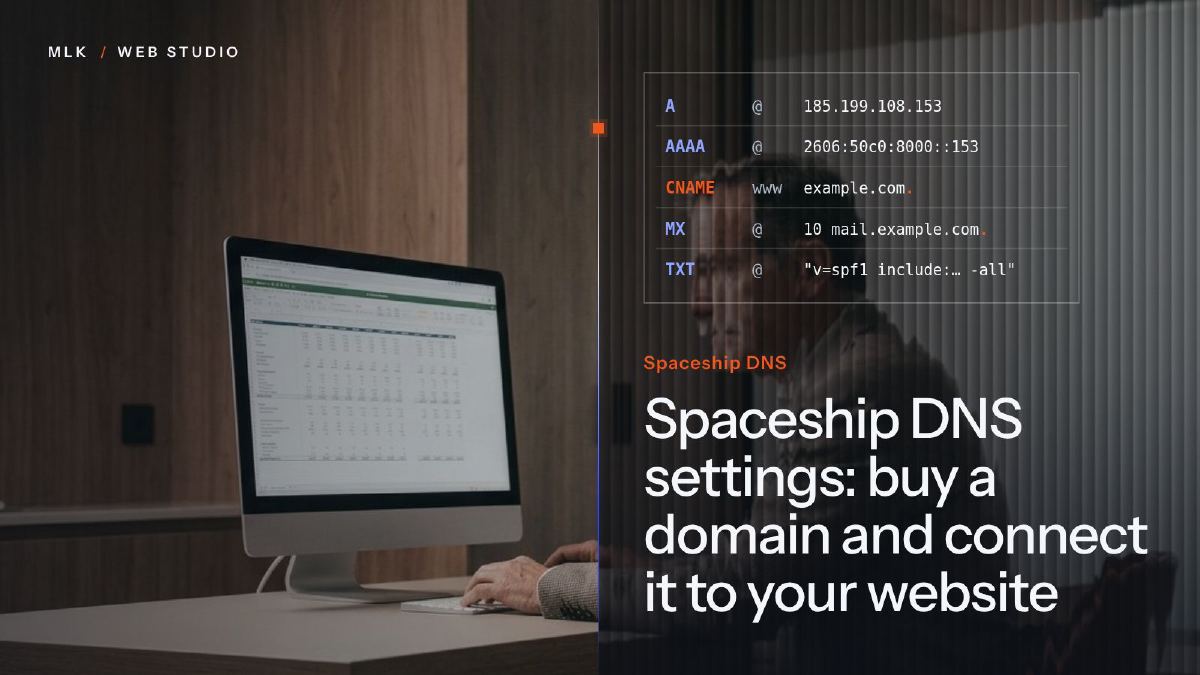 Spaceship DNS settings: buy a domain and connect it to your website
Spaceship DNS settings step by step: buy the domain, open Advanced DNS, add Squarespace's records, then redirect a second domain without losing your email.
Spaceship DNS settings: buy a domain and connect it to your website
Spaceship DNS settings step by step: buy the domain, open Advanced DNS, add Squarespace's records, then redirect a second domain without losing your email.
 Spacemail setup: mailbox, DNS records and email app settings, step by step
Spacemail setup step by step: choose a plan, create the mailbox, add the MX, SPF, DKIM and DMARC records, then connect your phone, Outlook or Apple Mail.
Spacemail setup: mailbox, DNS records and email app settings, step by step
Spacemail setup step by step: choose a plan, create the mailbox, add the MX, SPF, DKIM and DMARC records, then connect your phone, Outlook or Apple Mail.