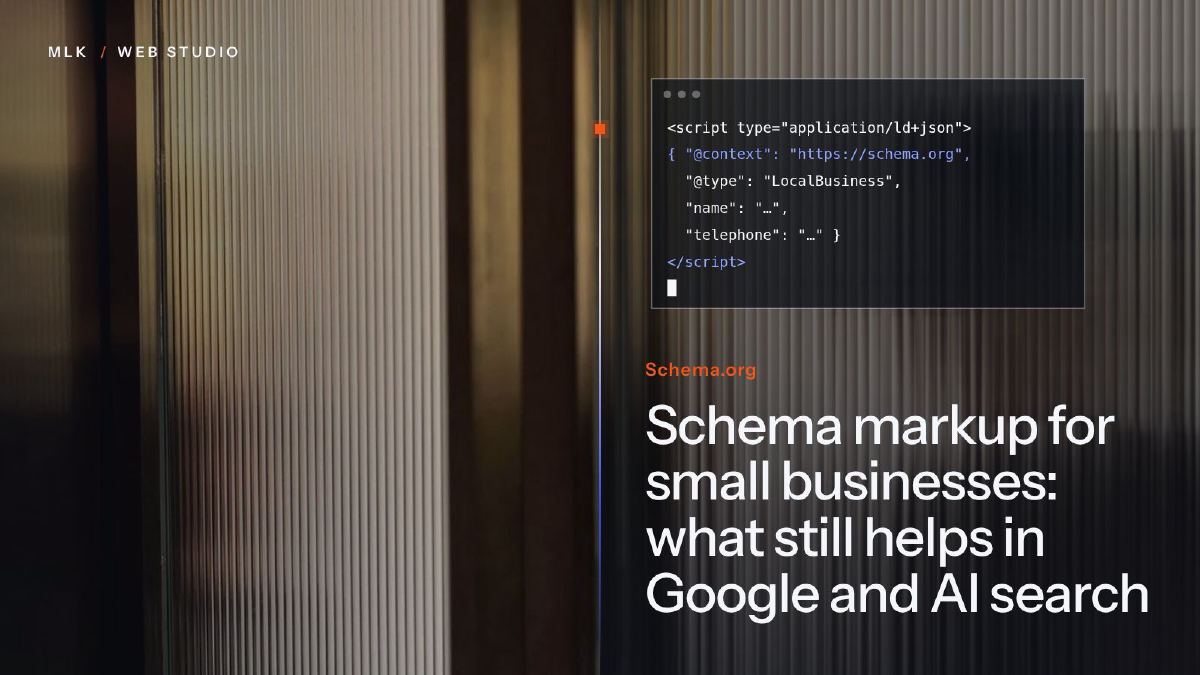
Schema markup for small businesses: what still helps in Google and AI search
Schema markup in 2026: the types that still help a small business in Google, what AI search really does with them, and JSON-LD code to copy and test.
Schema markup is code, usually JSON-LD, that describes your business and your pages to search engines. In October 2026, Organization or LocalBusiness, BreadcrumbList and Product markup are still worth adding, while FAQ and HowTo rich results no longer appear in Google. Do not count on it to get you quoted by AI assistants: Google says its AI features need no special schema, and an Ahrefs study of 1,885 pages found no meaningful rise in AI citations.
Schema markup is a block of code, usually written in JSON-LD, that describes a page to search engines as data: your business name, address, phone number and opening hours, the service a page sells, the price of a product. It uses the shared schema.org vocabulary, and your visitors never see it.
In October 2026, the question for a small business is which parts still earn their place. Google has retired several of the rich results that markup used to bring, FAQ results included in May 2026, while “AI schema” is being sold as a way into ChatGPT. My short answer: three or four types are still worth an afternoon, nothing shows that any of them gets you quoted by an AI assistant, and you can skip the rest.
This tutorial is part of my complete guide to generative engine optimisation.
What schema markup is, in plain words
A person reading your contact page knows that “12 Example Street, Bristol” is an address. A crawler sees a line of text, unless the markup labels it as one.
Every example in this tutorial is in JSON-LD, which sits in a single <script> block in the page’s code, apart from your design. Here is what that block can do for you:
- make a page eligible for a rich result, such as a price and stock level under a product, or a breadcrumb trail in place of the page address;
- help Google connect your website with your business, through the same name, logo, address and phone number as on your Google Business Profile and your social profiles;
- describe your services and products in a form any crawler can read without guessing.
What it cannot do is guarantee anything. Valid markup makes a page eligible for a rich result; Google decides whether to show it.
What schema markup still shows in Google in 2026
Google has trimmed its rich results year after year. In 2023, HowTo results went and FAQ results were kept for well-known government and health sites only. Since January 2025, mobile results show only the domain where the breadcrumb trail used to be, while desktop results still show it. FAQ results stopped appearing for everyone on 7 May 2026 and, according to Google’s documentation, FAQ support left the Rich Results Test and Search Console’s reports in June 2026. The FAQ markup itself is still valid: Google simply no longer displays it.
Here is where the types a small business might use stand at the time of writing (October 2026):
| Type | What Google does with it | Worth adding? |
|---|---|---|
Organization | Helps Google identify your business; can influence the logo shown in results and in your knowledge panel | Yes, on the home page |
LocalBusiness and its subtypes | A type Google supports for your address, phone number and opening hours | Yes, if customers come to you or you serve a local area |
BreadcrumbList | Breadcrumb trail in desktop results | Yes, on every page below the home page |
Product with an Offer | Price, availability and ratings in results | Yes, if you sell online or show prices |
Event | Event details in results | If you run public events |
Service | No rich result | Optional, and cheap on a coded site |
FAQPage | No rich result since 7 May 2026 (government and health sites only from 2023) | Keep it if you have it; don’t add it |
HowTo | No rich result since 2023 | No |
LocalBusiness is a more precise kind of Organization, so a business with one address needs one of the two, not both. Pick the most precise subtype that fits: schema.org has types for plumbers, electricians, dentists, restaurants and many other trades.
One limit matters for a local business: the map results are driven by your Google Business Profile far more than by anything in your code, as my local SEO guide explains.
Does schema markup help with ChatGPT and AI search?
Not in any way anyone has measured so far. Here is what is documented at the time of writing:
- Google says its AI features need no special schema. Its guide to optimising for AI Overviews and AI Mode, published on 15 May 2026, treats that work as ordinary SEO and lists special schema among the things Google Search does not need (Google Search Central). To be eligible for those answers, a page only has to be indexed and allowed to show a snippet.
- Ahrefs measured no meaningful effect. In a study published in May 2026, Ahrefs tracked 1,885 pages that added JSON-LD between August 2025 and March 2026 and compared them with 4,000 similar pages. Against those, citations rose by 2.2% in ChatGPT and 2.4% in AI Mode, too little to tell from chance, and fell by 4.6% in AI Overviews, a drop whose cause the study leaves open (Ahrefs). Ahrefs ran it because pages cited by AI were almost three times as likely to carry JSON-LD, but schema tends to sit on better-maintained sites, so that gap proved nothing.
- Microsoft says it helps its models read pages. At a conference in March 2025, Microsoft’s Bing team said schema markup helps its language models understand content, which concerns Bing and Copilot (Search Engine Land). For ChatGPT, Gemini and Perplexity, nothing is documented either way.
Being read more easily and being quoted more often are two different things, and only the first has any support. Assistants quote pages that answer the question well, and businesses that other sites talk about. My article on GEO vs SEO explains where that work goes.
The schema markup a small business needs
On the sites I code, the principle is the same every time, and you can copy it:
- Home page: one block for the business,
LocalBusiness(or its most precise subtype) if customers come to you or you work in a defined area,Organizationotherwise. - Service pages: a
Serviceblock for the service on the page. - Product pages: a
Productblock, with anOfferif the page shows a price. - Every page below the home page: a
BreadcrumbList.
Pilotech’s Toshiba site, for example, has structured data for the business, for each of its ten ranges and for each service; you can find it from the Pilotech Toshiba project page. The bilingual site of Eden Corporate Mobility describes the agency, the breadcrumbs and the FAQs. The entry portal I built for Pilotech, ready to go live, describes the company as an HVAC business in Paris and the Île-de-France, and schema.org even has a type for that: HVACBusiness.
On my projects, the metadata comes last, once the client is happy with the design and the copy. Treat structured data the same way: the markup has to describe what the final pages say.
LocalBusiness: the block for your home page
Here is a complete block for a made-up electrician in Bristol. Replace every value with your own, and delete any line you cannot fill in truthfully:
<script type="application/ld+json">
{
  "@context": "https://schema.org",
  "@type": "Electrician",
  "@id": "https://www.example.com/#business",
  "name": "Example Electrical",
  "url": "https://www.example.com/",
  "logo": "https://www.example.com/images/logo.png",
  "image": "https://www.example.com/images/team.jpg",
  "telephone": "+44 117 496 0123",
  "email": "hello@example.com",
  "address": {
    "@type": "PostalAddress",
    "streetAddress": "12 Example Street",
    "addressLocality": "Bristol",
    "postalCode": "BS1 4AA",
    "addressCountry": "GB"
  },
  "areaServed": ["Bristol", "Bath"],
  "openingHoursSpecification": [{
    "@type": "OpeningHoursSpecification",
    "dayOfWeek": ["Monday", "Tuesday", "Wednesday", "Thursday", "Friday"],
    "opens": "08:00",
    "closes": "18:00"
  }],
  "sameAs": [
    "https://www.facebook.com/your-page",
    "https://www.linkedin.com/company/your-company"
  ]
}
</script>
A few rules for yours:
- Copy your name, address and phone number exactly as they appear on your Google Business Profile and your contact page. One version of each, everywhere.
@idis a label of your choice that your other blocks can point to, as the service example below does.sameAslists your profiles on other sites, so they can be tied to the same business.- If you work from home and hide your address on your Business Profile, leave the street out here too and keep the town.
Service, Product and BreadcrumbList: the shorter blocks
A service page gets a short block that points back to the business through its @id:
{
  "@context": "https://schema.org",
  "@type": "Service",
  "name": "EV charger installation",
  "serviceType": "Electric vehicle charger installation",
  "provider": { "@id": "https://www.example.com/#business" },
  "areaServed": ["Bristol", "Bath"],
  "url": "https://www.example.com/ev-charger-installation/"
}
A product page gets a Product block with the product’s name, image, description and brand. Google only shows a product rich result when the block also has an offers property with a price, a review or an aggregateRating, so a catalogue without prices or reviews describes its products but earns no rich result.
Every page below the home page gets its breadcrumbs, in the same order as the trail shown on the page. The last item needs no address, since it is the page itself:
{
  "@context": "https://schema.org",
  "@type": "BreadcrumbList",
  "itemListElement": [
    { "@type": "ListItem", "position": 1, "name": "Home", "item": "https://www.example.com/" },
    { "@type": "ListItem", "position": 2, "name": "Services", "item": "https://www.example.com/services/" },
    { "@type": "ListItem", "position": 3, "name": "EV charger installation" }
  ]
}
Wrap each block in its own <script type="application/ld+json"> tag, as in the first example.
How to add schema markup to your site
Whatever your platform, start by checking what it already outputs: paste your home page address into the Schema Markup Validator (see the testing section below). Many platforms and SEO plugins add a basic block on their own, and two blocks that disagree about your business help no one.
On a hand-coded site, Hugo or Jekyll
Add the blocks to the <head> of your templates, and generate them from the same data as the pages rather than writing them page by page. On the unified site I built for Pilotech, the 29 product sheets come from data and a single template, and every page has its own structured data: a new range gets its page and its markup at the same time.
On Squarespace
Squarespace already outputs basic markup (website, business, products, events, blog posts), partly from the business information in your settings, and you cannot edit it directly. Fill in your business information first, then see what the validator finds.
For what is missing, the route is code injection: the site-wide header field for a fuller business block that repeats exactly the same details, and the page header field in each page’s settings (Advanced tab) for that page’s service or breadcrumb block. Code injection is not included in every plan, and Squarespace has moved its menus more than once, so my Squarespace code injection tutorial has the current steps.
On WordPress and other builders
An SEO plugin such as Yoast SEO or Rank Math already outputs a block for your site and its pages. Fill in its settings for your business (name, logo, social profiles), and use its local business options or add-on for the address and hours rather than pasting a second block. On other builders, look for a structured data or custom code field in the page’s SEO settings. If there is none, your Business Profile matters more than the markup you are missing.
How to test your schema markup
Test one page of each kind before you publish, then let Search Console watch the whole site.
- Open Google’s Rich Results Test, enter the address of a page (or paste your code in the Code tab) and run the test.
- Read the result. It lists each type that Google can display and that it found on the page, such as breadcrumbs, with its errors and warnings. An error makes the page ineligible for that rich result; a warning flags an optional property, worth adding only if it is true.
- Run the same page through the Schema Markup Validator, at
validator.schema.org. It reads every schema.org type, including those the Rich Results Test leaves out because Google has no rich result for them, such asServiceand, since June 2026,FAQPage.
- After publishing, use Google Search Console. URL Inspection shows the rich result types Google detected on one page, and each type found on your site gets its own report in the left-hand menu, under Enhancements (or Shopping for products). Once you have fixed an error, click Validate fix in that report. My Google Search Console tutorial covers the setup.
Mistakes that cost you rich results
- Marking up what the page does not show. Google’s guidelines say markup must describe content visitors can see. Opening hours that appear nowhere on the page, or a service you do not list, break that rule, and misleading markup can earn a manual action that removes your rich results until you fix it.
- Adding your own star rating. Google does not show stars for reviews a business publishes about itself, so an
aggregateRatingcopied from your Google reviews earns nothing on your own site. The stars beside your name in Google Maps come from your Business Profile. - Two blocks that disagree. If a plugin’s block gives one phone number and your own block another, fix the source rather than adding a third block.
- Forgetting the markup when things change. When you move, change your number or your hours, update it on the same day as your Business Profile.
Your schema markup checklist
- Paste your home page address into the Schema Markup Validator to see what your site already outputs.
- Add or complete one
LocalBusinessorOrganizationblock on the home page, with the same name, address and phone number as your Google Business Profile. - Add a
BreadcrumbListto every page below the home page, aProductblock to product pages and, if it costs you little, aServiceblock to service pages. - Test one page of each kind in the Rich Results Test, fix the errors, then publish.
- A few weeks later, check the reports in Search Console.
- Leave any FAQ markup where it is, skip HowTo, and spend the time you saved on your pages and your Business Profile.
Structured data is one line of my on-page SEO checklist, and it deserves about that share of your time. For Pilotech, whose Teknopoint site ranks first or second on Google, the SEO work came in this order: pages, content, the Google Business Profile, then technical fixes. Markup belongs to that last group. If your Business Profile is not finished yet, my Google Business Profile setup guide comes first.
On Squarespace, or on WordPress with an SEO plugin, this is a job you can do yourself, without me. Hand it over when the markup has to be generated for dozens of products or pages: that is template work.
Frequently asked questions
Is schema markup a ranking factor?
JSON-LD, Microdata or RDFa: which format should I use?
How long does schema markup take to show in Google?
Is schema markup worth it for a one-page website?
Can I write schema markup with ChatGPT or a generator?
Joana MehouWeb designer, SEO and cold emailing specialist
Joana Mehou has been building websites since the age of eleven and founded MLK Web Studio in 2021, between London and Paris: websites, SEO, cold emailing and automation for small businesses in the UK and France, with honest advice, including when you do not need to hire anyone.
More about the studioThe searches your clients type, the pages that answer them, the technical work behind.
 Local SEO: how to rank on Google in your town
Local SEO for small businesses: how Google ranks map results, what your Business Profile, reviews and town pages do, and a 30-day plan to get found nearby.
Local SEO: how to rank on Google in your town
Local SEO for small businesses: how Google ranks map results, what your Business Profile, reviews and town pages do, and a 30-day plan to get found nearby.
 GEO vs SEO: what really changes when customers ask AI instead of Google
GEO vs SEO: what is genuinely new when customers ask ChatGPT or Google's AI, what is still plain SEO, and which GEO sales pitches a small business can ignore.
GEO vs SEO: what really changes when customers ask AI instead of Google
GEO vs SEO: what is genuinely new when customers ask ChatGPT or Google's AI, what is still plain SEO, and which GEO sales pitches a small business can ignore.
 Google AI Overviews and AI Mode: how to get your site cited
How Google picks the sites cited in AI Overviews and AI Mode, what raises your chances, how to see your impressions in Search Console and how to opt out.
Google AI Overviews and AI Mode: how to get your site cited
How Google picks the sites cited in AI Overviews and AI Mode, what raises your chances, how to see your impressions in Search Console and how to opt out.