
How to get a professional email address with your own domain (and what it costs)
Get a professional email address on your own domain: Spacemail, Google Workspace, Microsoft 365 or kSuite, what each costs in 2026, and the set-up steps.
A professional email address ends with your own domain, such as hello@yourbusiness.co.uk, instead of @gmail.com or @hotmail.co.uk. You need a domain and a mailbox from an email provider, linked by MX records, plus SPF, DKIM and DMARC so that inboxes trust your mail. In October 2026, a Spacemail mailbox, the option I recommend to solo owners, costs less than £1 (under $1) a month, against £5.90 per user a month excluding VAT ($7 in the US) for Google Workspace’s entry plan.
A professional email address is one that ends with your own domain name, such as hello@yourbusiness.co.uk, rather than @gmail.com, @hotmail.co.uk or @outlook.com. Getting one takes two purchases, a domain and a mailbox, and a few DNS records that connect them. This guide compares the options, gives what each costs at the time of writing (October 2026), and sets out the steps in the right order.
I set up business email as a fixed-price job, and I have connected domains at Namecheap, Spaceship, Infomaniak, Hostinger, OVH and the old Google Domains. My own story is short: I used to run my email on Microsoft, and it was a pain. With Namecheap and Spaceship, it has not been.
If the difference between a domain, a web host and an email provider is still hazy, my guide to domain vs hosting vs email explains what each one does. This article deals with the email part.
Why a professional email address is worth having
I want my clients’ prospects to take them seriously from the first contact. It also cuts the haggling: if someone doubts that you are established, they will not pay your price. A well-made website followed by a quote sent from a Hotmail address undoes part of that work, and the address itself can cost less than a coffee a month.
The impression is only the start:
- The address stays yours. It lives on your domain, so if a provider lets you down, you move the mailbox and keep the address.
- Role addresses outlive staff changes. contact@ or accounts@ can pass from one person to the next, while a personal Gmail leaves with its owner.
- Your mail can prove where it comes from. On your own domain you publish the SPF, DKIM and DMARC records that tell Gmail and Outlook your emails are genuine. You cannot add them to gmail.com.
- Business and private life stay apart. When I build an automation for a client, I need access to the mailbox: easy to give for a business mailbox, much less so for a personal Gmail that also holds your bank alerts.
How it works: a domain, a mailbox and an MX record
Three pieces, which can sit with three different companies:
- The domain, rented year by year from a registrar such as Spaceship or Namecheap. It must be registered in your business’s name, in an account you can log in to. If a former web designer holds it, get your domain name back before you build anything on it.
- The mailbox, from an email provider. It does not have to be your registrar: a domain registered at Namecheap can have its email at Google or Microsoft.
- The MX records, in the domain’s DNS. An MX record is the line that tells other mail servers where to deliver email sent to your domain.
Each provider gives you its own values. Two examples, from Spaceship’s and Google’s help pages:
Provider          Type  Host  Value              Priority
Spacemail         MX    @     mx1.spacemail.com  0
                  MX    @     mx2.spacemail.com  0
Google Workspace  MX    @     smtp.google.com    1
The records go wherever your domain’s nameservers point, which is not always the registrar: if your DNS is managed at Cloudflare or at a web host, that is where you add them. My guide to DNS records explained covers MX, TXT and the other types in plain words, including the trailing dot, the one real trap I have hit when connecting domains.
Professional email options and what they cost in October 2026
Here are the routes to an address on your domain, with the entry price of each at the time of writing (October 2026). Where a provider prices in dollars or euros, the pound figures are my approximate conversions.
| Option | Who it suits | Entry price, October 2026 |
|---|---|---|
| Spacemail (Spaceship) | Solo owners and small teams who need email, not an office suite | About £14 ($18.88) for two years and one mailbox, so about 60p a month |
| Private Email (Namecheap) | The same profile, with a domain at Namecheap | Low cost, with a 30-day free trial; check the current price |
| Google Workspace Business Starter | Teams that work in Gmail, Docs and Drive | £5.90 per user a month on the annual plan, excluding VAT ($7 in the US) |
| Microsoft 365 Business Basic | Teams that work in Outlook and Office files | £5.40 per user a month, paid yearly, excluding VAT ($7 in the US) |
| Infomaniak kSuite Standard | Teams that want a European suite, with data in Switzerland | CHF 1.76 (about £1.60, $2.10) per user a month, excluding VAT |
| Email included with web hosting | Sites already on a host whose plan includes mailboxes | Included in the hosting plan |
| Free forwarding | A stopgap: it receives but does not send | Free at some registrars and DNS hosts |
Registrar email: Spacemail and Namecheap Private Email
Spacemail is the email service of Spaceship, the registrar Namecheap launched in 2023. According to Spaceship’s Spacemail page, the Pro plan gives one mailbox with 5 GB of storage and up to 10 aliases for about £14 ($18.88) per two-year term, the same at renewal. Business (three mailboxes, 10 GB each) and Advanced (five mailboxes, 15 GB each) cost more and go up at renewal. Every plan starts with a 30-day free trial, and you get webmail with a calendar, plus apps for iOS and Android.
Namecheap sells its own Private Email on the same model, also with a 30-day free trial on every plan. The prices I found for it in October 2026 do not agree with each other, so I am not quoting one: check Namecheap’s page on the day you order.
Google Workspace
Google Workspace is Gmail on your own domain, together with Calendar, Drive, Docs and Meet. Business Starter costs £5.90 per user a month on the annual plan and £7 on the flexible plan, excluding VAT ($7 and $8.40 in the US), according to Google’s comparison of its payment plans at the time of writing, with 30 GB of storage per user.
Each person with their own inbox counts as a user, so a team of three pays three times. If all you need is an inbox, you pay for a lot you will never open.
Microsoft 365
Microsoft 365 Business Basic gives you Outlook email and the web and mobile versions of Word, Excel and PowerPoint; the desktop apps start with Business Standard. Microsoft raised Business Basic from $6 to $7 per user a month in the US on 1 July 2026. In the UK, Microsoft’s Business Basic page lists £5.40 per user a month on a yearly subscription and £6.48 on a monthly one, excluding VAT, at the time of writing. For email alone, Microsoft’s US page lists Exchange Online Plan 1 at $4 per user a month, paid yearly.
It suits businesses whose clients send them Word and Excel files all day, with someone happy to handle Microsoft’s admin centre. For my own email it was a pain, but that is one experience, not a benchmark.
Infomaniak kSuite
kSuite is the suite of Infomaniak, a Geneva company that runs its own data centres in Switzerland: email, calendar, kDrive for files, team chat and video calls. The Standard plan costs CHF 1.76 (about £1.60, $2.10) per user a month excluding VAT, with two email addresses per user, unlimited mail storage and 50 GB on kDrive, according to Infomaniak’s kSuite pricing page. If you only want email, Infomaniak also sells it on its own as Service Mail.
I discovered Infomaniak through clients whose domains were already there, and I recommend it highly. My Infomaniak review goes through the plans.
Email included with your web hosting
Many shared hosting plans include mailboxes on your domain, often managed through cPanel. It costs nothing extra, which is the appeal. The catch: your email then depends on your hosting. Change host and the email has to move too, and a problem with the hosting account, such as a missed renewal, takes the email down with the website.
If your email already runs at your host without trouble, there is no rush to move it. I have worked with OVH and Hostinger because clients were already there, and I recommend neither: for a small business owner, both are a bit complicated to handle.
Free forwarding: a stopgap
Some registrars and DNS hosts forward mail sent to your domain to an inbox you already have, for free: contact@yourbusiness.co.uk lands in your Gmail. It receives but does not send: your replies still leave from the Gmail address unless you set up another mail server, which gets fiddly. Fine for a week while you choose, not for a business that sends quotes.
Which option I recommend for a solo owner
For one person, or a team of two or three who mainly need email, I recommend registrar email, and Spacemail in particular. I should say that Spaceship is where my habits are. My reasons are practical: the set-up is easy, prices are fair and do not triple in the second year as some providers’ do, and support is there around the clock. Every issue I have taken to them has been resolved. Namecheap’s email has been just as painless for me.
The suites earn their price in other cases: Google Workspace or Microsoft 365 when a team works in their documents all day, kSuite when you want email, files and video calls from one European provider. Where there is a free trial, as with Spacemail and Namecheap, send real emails for a week before you pay for a year or two.
You do not need me for one or two mailboxes at a registrar. The provider’s guide will get you there, and my Spacemail setup tutorial takes you through each screen, from the order to the mailbox on your phone.
How to set up a professional email address, step by step
The order matters more than the provider. Whatever you choose:
- Log in to your registrar and check that the domain is registered in your business’s name and set to renew automatically.
- Choose the addresses. Give each person one mailbox and use aliases for roles: an alias is a second address delivered to an existing mailbox, such as contact@ landing in your own inbox, and it usually costs nothing extra.
- Buy the plan and create the mailboxes before you touch the MX records. If the provider asks you to prove that you own the domain, as Google Workspace does and as Spacemail does for a domain registered elsewhere, add its verification TXT record first.
- Point the MX records to the new provider, at the DNS host your nameservers name, and delete the MX records of any previous provider.
- Add SPF, DKIM and DMARC, as described in the next section.
- Test. Send an email to a Gmail address, open it, click the three dots and choose Show original: SPF, DKIM and DMARC should each say PASS. Reply to it as well, to check that mail comes in.
- Connect your phone and computer, with the provider’s app or by IMAP and SMTP in Outlook or Apple Mail. Choose IMAP rather than POP3, so every device shows the same mailbox. Then switch on two-factor authentication.
- Move your old email and tell people. Use the provider’s migration tool if it has one, update your website, email signature and invoices, and leave an automatic reply on the old address for a few months.
SPF, DKIM and DMARC: why your new address needs them
An address on your own domain only earns trust if the domain can prove it sent the email. Three DNS records, usually of the TXT type, do that:
- SPF lists the servers allowed to send email for your domain.
- DKIM adds a signature to each email, checked against a key published in your DNS.
- DMARC tells receiving servers what to do when an email fails those checks, and where to send reports.
According to Google’s email sender guidelines, every sender to Gmail has needed SPF or DKIM since February 2024, and senders of 5,000 or more emails a day need all three. Google stepped up enforcement in November 2025, with temporary and permanent rejections for mail that fails. Microsoft has applied similar rules to bulk senders to Outlook.com and Hotmail since 5 May 2025. A small business sends far less, but a DMARC record costs nothing, and business inboxes run their own filters.
A typical set for a Spacemail mailbox looks like this:
Type  Host                  Value
TXT   @                     v=spf1 include:spf.spacemail.com ~all
TXT   spacemail._domainkey  v=DKIM1; k=rsa; p=... (your own key, from the provider)
TXT   _dmarc                v=DMARC1; p=none; rua=mailto:dmarc@yourbusiness.co.uk
A domain may have only one SPF record: if one already exists for a newsletter tool, add the new include to it rather than creating a second. My tutorial to set up SPF, DKIM and DMARC covers each record at Spaceship, Namecheap and OVH, and MLK Leadhunters has SPF, DKIM and DMARC explained in plain English if you want the theory first.
Cold email: keep it off this address
Your professional address is the one your clients write to, so protect it. Cold email always carries some deliverability risk, and the safe practice is to send it from separate domains close to your brand: MLK Leadhunters explains why you should never send cold emails from your main domain.
Read the provider’s rules too. Spaceship’s rules forbid unsolicited bulk email, so get its agreement in writing before you connect a Spacemail mailbox to a sending tool. My comparison of the best email provider for cold email sets Google, Microsoft and Spacemail side by side for that job.
Your checklist, and when to hand it over
Before you call it done, check five things:
- The domain is in your business’s name and renews automatically.
- The MX records point only to the new provider.
- One SPF record, DKIM switched on, DMARC at
p=none. - A test email to Gmail shows three PASS results, and your reply arrived.
- The new address is on your website, signature and invoices.
Hand it over when several people have years of email to move, when the website and the email sit with different providers and nobody knows which records are in use, or when a former provider still controls the domain. Email set-up is one of the fixed-price jobs I take on, on its own or with a new website.
Frequently asked questions
Can I get a professional email address for free?
Do I need a website to have a professional email address?
Can I read my professional email in Gmail?
Can I change email provider later and keep the same address?
How long does a new professional email address take to work?
Joana MehouWeb designer, SEO and cold emailing specialist
Joana Mehou has been building websites since the age of eleven and founded MLK Web Studio in 2021, between London and Paris: websites, SEO, cold emailing and automation for small businesses in the UK and France, with honest advice, including when you do not need to hire anyone.
More about the studioA website that brings in clients, designed, written and built for you.
 Spacemail setup: mailbox, DNS records and email app settings, step by step
Spacemail setup step by step: choose a plan, create the mailbox, add the MX, SPF, DKIM and DMARC records, then connect your phone, Outlook or Apple Mail.
Spacemail setup: mailbox, DNS records and email app settings, step by step
Spacemail setup step by step: choose a plan, create the mailbox, add the MX, SPF, DKIM and DMARC records, then connect your phone, Outlook or Apple Mail.
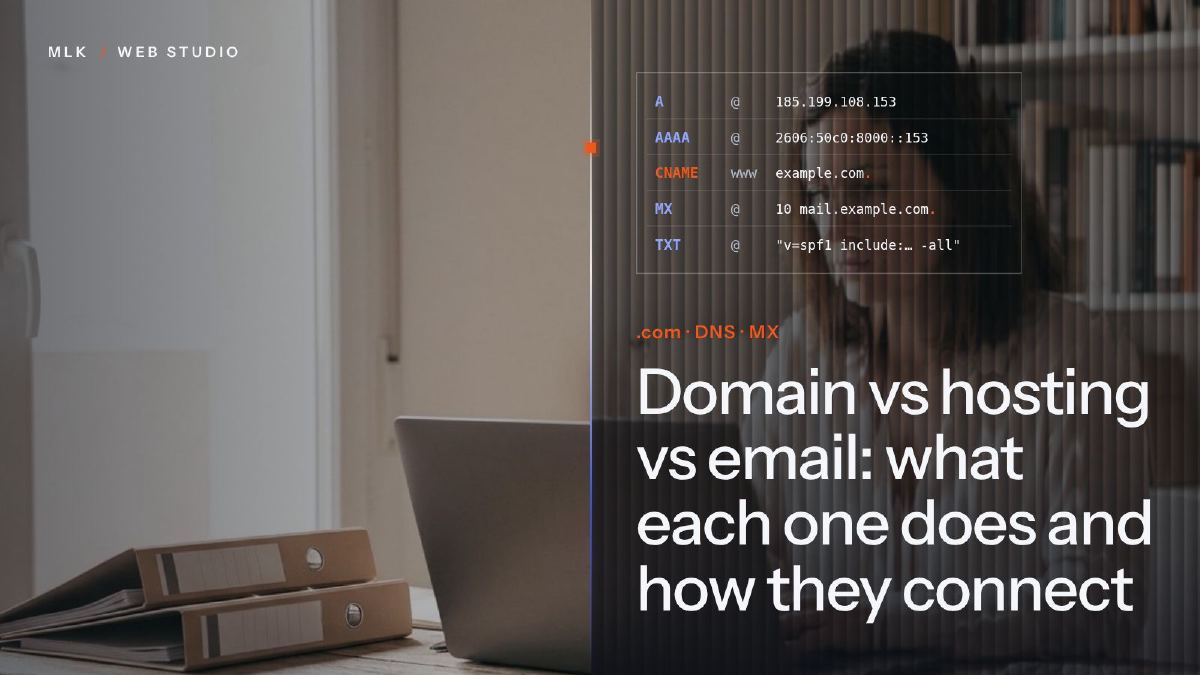 Domain vs hosting vs email: what each one does and how they connect
Domain vs hosting vs email: what each one does, why they can sit with three companies, how DNS links them, and which accounts your business must own.
Domain vs hosting vs email: what each one does and how they connect
Domain vs hosting vs email: what each one does, why they can sit with three companies, how DNS links them, and which accounts your business must own.
 Emails going to spam? How to set up SPF, DKIM and DMARC, step by step
Emails going to spam? Set up SPF, DKIM and DMARC step by step: check Gmail's Show original, add records at Spaceship, Namecheap or OVH, then tighten DMARC.
Emails going to spam? How to set up SPF, DKIM and DMARC, step by step
Emails going to spam? Set up SPF, DKIM and DMARC step by step: check Gmail's Show original, add records at Spaceship, Namecheap or OVH, then tighten DMARC.