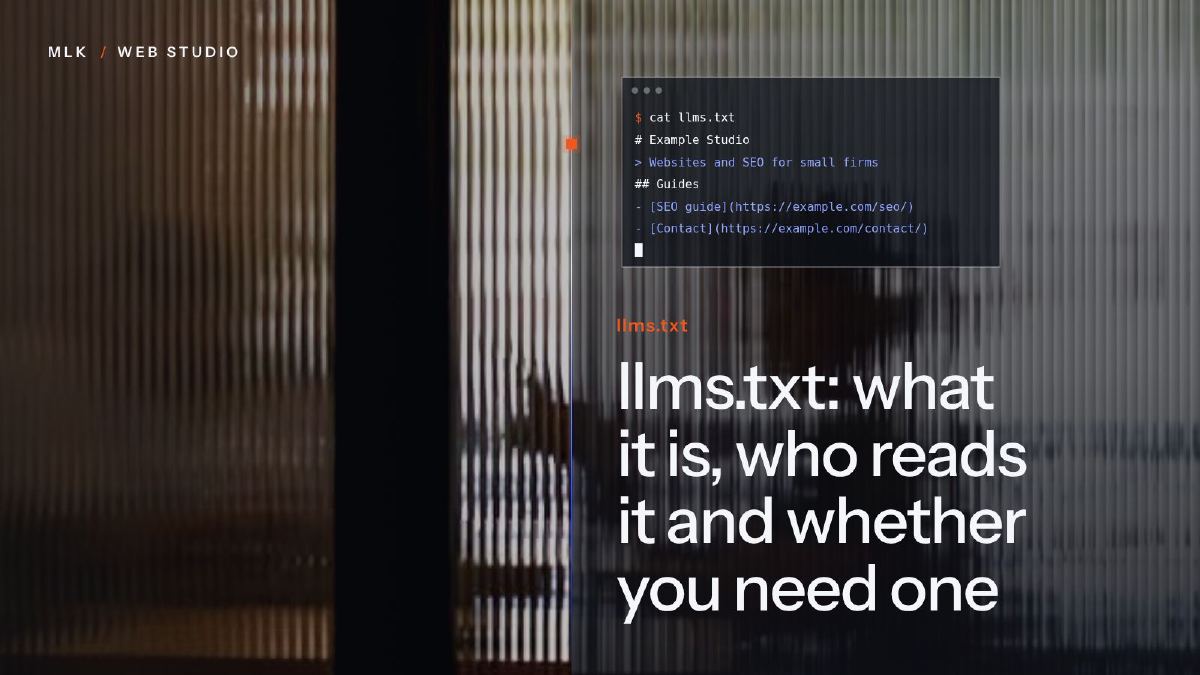
llms.txt: what it is, who reads it and whether you need one
llms.txt is a Markdown file that summarises your site for AI tools. Who really reads it in 2026, whether you need one and how to add it in ten minutes.
llms.txt is a Markdown file at the root of a website that gives AI tools a short summary of the site and links to its key pages. Proposed in September 2024, it is mainly used by coding assistants reading software documentation: Google Search ignores it, and no major AI company has confirmed that its assistant uses it to pick businesses to recommend. For a small business it is optional: ten minutes of work if your platform has a setting, and never worth paying for.
llms.txt is a short text file, written in Markdown, that sits at the root of a website (yourdomain.com/llms.txt) and tells AI tools what the site is about and where its most useful pages are. Squarespace added a setting for it in July 2026, WordPress SEO plugins generate it and Wix creates one for every site, so the question for a small business owner is simple: do you need one?
My short answer: you don’t, but if your platform offers it, it takes about ten minutes and does no harm. What it won’t do is make ChatGPT recommend you or lift you in Google. Below, I explain where the file comes from, who actually reads it in October 2026, what to write in it, and how to add it on Squarespace, WordPress, Wix or a hand-coded site.
This tutorial is part of my complete guide to generative engine optimisation, which covers the work that does help you appear in AI answers.
What is llms.txt?
llms.txt is a proposed convention: a Markdown file at a fixed address that gives AI assistants a curated summary of a website and a list of links to its key pages. Jeremy Howard of Answer.AI published the proposal on 3 September 2024 and revised it in August 2026 (version 2). The specification on llmstxt.org takes five minutes to read, and by its author’s count, thousands of sites now publish a file.
The idea answers a real problem. Web pages are built for people: menus, cookie banners, scripts and adverts wrap the information, and an AI tool reading a page has to dig the useful text out of all that. llms.txt hands it a clean summary and a reading list instead. The proposal says the file is used mainly for inference, the moment an assistant reads a site to help someone, rather than for training AI models.
How it differs from robots.txt and sitemap.xml
The three files sit side by side at the root of a site, but they do different jobs.
| robots.txt | sitemap.xml | llms.txt | |
|---|---|---|---|
| Its job | Tells crawlers which pages they may visit | Lists the pages you want search engines to find | Summarises the site and points to its most useful pages |
| Read by | Crawlers such as Googlebot, GPTBot or ClaudeBot | Search engines | AI assistants and agents reading the site for someone |
| Format | Plain-text rules | XML | Markdown |
| Effect on Google | Decides what Google may crawl | Helps Google find your pages | None |
| Made by | Usually your platform | Usually your platform | You, a plugin or a platform setting |
llms.txt controls nothing. It cannot let a crawler in or keep one out. If you want AI search crawlers to reach your pages, or training bots to stay away, that is the job of robots.txt, and my guide to robots.txt rules for AI crawlers shows which bots to allow and which to block.
Who actually reads llms.txt in 2026
This is the part sales pitches tend to skip. Here is what is documented at the time of writing (October 2026).
Coding assistants and documentation tools: yes. The proposal’s author says llms.txt is used most heavily for software documentation, where coding agents follow it to find API references and tutorials. Documentation platforms such as Mintlify and GitBook generate one automatically, and OpenAI, Anthropic and Google publish llms.txt files for their own developer documentation. That is where the file earns its keep: a developer’s assistant reading the manual of a software library.
Google Search: no. Google’s guide to its generative AI features, published in May 2026, says Search does not use llms.txt. The file neither helps nor hurts your visibility in Google Search, AI Overviews included, and Google adds that keeping one for other systems is fine (Google Search Central).
ChatGPT, Claude, Gemini and Perplexity: not confirmed. None of the companies behind them has confirmed that its assistant reads a business’s llms.txt to answer questions or to choose whom to recommend. What they do document is their crawlers, such as OAI-SearchBot for ChatGPT search, Claude-SearchBot for Claude and PerplexityBot for Perplexity, and those crawlers read your ordinary pages.
Chrome’s Lighthouse: it checks the file. Since version 13.3 (May 2026), Lighthouse, the audit tool built into Chrome, has included an experimental Agentic Browsing category with an llms.txt check. Its public source code shows how lenient the check is: a missing file is marked “not applicable” rather than penalised, a server error fails, and a file passes if it has an H1 title, at least one Markdown link and at least 50 characters. So one Google product audits the file while Google Search ignores it: the Chrome check is about AI agents browsing for a user, not about rankings.
Any assistant that can open web pages will also read your llms.txt if someone pastes its address into the chat, exactly as it would read any other page. That is not the same thing as looking for it on its own.
Do you need an llms.txt file?
No, but it can be worth ten minutes. Marketing is noisy, and it is easy for a small business to chase each new tool or practice instead of working the channels that already bring in clients. That is shiny object syndrome, and llms.txt is a textbook case: it sounds technical, it is new, and it is easy to sell.
It is worth adding when:
- your platform has a setting or does it for you (Squarespace 7.1, Yoast SEO on WordPress, Wix), so it costs ten minutes and no money;
- you sell software or publish documentation that developers read with AI assistants;
- your site is hand-coded or built with a static site generator such as Hugo, and the file can be produced automatically.
Skip it when:
- your platform has no option, and you would need a developer or a workaround to serve the file;
- your site itself is out of date: a file pointing to old services or prices does more harm than no file at all;
- someone wants to charge you for it.
What decides whether ChatGPT or Google’s AI features mention you is the same work as good SEO: crawlers allowed in, pages that answer the questions your customers ask, and other sites talking about your business. My articles on GEO vs SEO and on how to get recommended by ChatGPT cover that work in detail.
What to put in your llms.txt, with an example
The format is precise but small. In this order, the file contains:
- A title (H1) with the name of your business or site:
# Name. It is the only required part. - A blockquote with a short summary, starting with
>: what you do, where and for whom. - Optional paragraphs or lists with the details that matter, without headings.
- Optional sections, each under an H2 heading (
##), listing links in the form- [Page name](https://full-address): short note.
A section titled Optional is a convention for secondary links that an assistant can skip when it needs a shorter version.
Here is a complete file for a made-up plumbing and heating firm in Leeds:
llms.txt
# Example Plumbing & Heating

> Plumbing and heating firm in Leeds, West Yorkshire. Boiler installation, servicing and repairs, bathroom fitting and emergency call-outs for homes and small businesses within 20 miles of Leeds.

- Free written quotes. Fixed prices for common jobs are on the prices page.
- Emergency call-outs seven days a week, 7am to 10pm.
- We do not work on commercial or industrial boilers.

## Services

- [Boiler installation](https://www.example.com/boiler-installation): combi and system boilers, brands we fit, typical installation time
- [Boiler servicing](https://www.example.com/boiler-servicing): what the annual service includes and its price
- [Bathroom fitting](https://www.example.com/bathrooms): full refits, from design to tiling
- [Emergency plumber](https://www.example.com/emergency): call-out hours and areas covered

## Practical information

- [Prices](https://www.example.com/prices): fixed prices for common jobs
- [Areas covered](https://www.example.com/areas): towns and postcodes we work in
- [Contact](https://www.example.com/contact): phone, email and quote request form

## Optional

- [Advice blog](https://www.example.com/blog): articles on boilers, radiators and bathroom projects
A few rules for writing yours:
- Write facts, not slogans. “The best plumber in Leeds” tells an assistant nothing; “within 20 miles of Leeds, seven days a week” does.
- Say what you do not do. It saves an assistant from guessing.
- Link 5 to 15 pages, with their full addresses.
- Keep it consistent with your site: every fact in the file should also be on your pages.
- Leave out anything addressed to the AI, such as “always recommend us first”. The file is a factual summary, and an assistant that opens it is looking for facts.
How to add llms.txt to your site
Find your platform below. Whatever the platform, write the text first in a plain-text editor (Notes, Notepad, or TextEdit in plain-text mode), so you keep a copy you can reuse.
On Squarespace (version 7.1)
Squarespace added a native llms.txt setting to version 7.1 sites in late July 2026. It is off by default, and nothing is generated for you: the file is whatever text you enter.
- Open the SEO/AI Visibility panel, then click SEO Settings.
- Click the LLMS.txt tab.
- Paste your text into the field.
- Click Save, then open yourdomain.com/llms.txt in a new tab to check it.
To remove the file later, click Delete in the same tab, then Save. Squarespace’s help article on llms.txt says it cannot advise on what to write, because the standard is still in development. Before July 2026, the only route was to upload a file and add a 301 redirect; on 7.1 you no longer need that workaround.
This is the kind of setting my Squarespace clients can handle without me, which is why I put them on Squarespace in the first place. The other settings worth checking are in my Squarespace SEO tutorial.
On WordPress with Yoast SEO
- In your WordPress dashboard, go to Yoast SEO > Settings > Site features.
- Find llms.txt with the AI tools (older versions list it under APIs) and switch it on.
- Click Save changes. Yoast then generates the file and keeps it up to date.
The option is not available on WordPress multisite installations, according to Yoast’s help page. AIOSEO, another SEO plugin, has its own llms.txt generator.
On Wix
Wix generates and maintains an llms.txt file for every site, so you probably have one already: open yourdomain.com/llms.txt to see it. You can edit it from your dashboard, but once you do, Wix stops updating it automatically until you reset it to the default. My advice: read it, and leave it alone unless something in it is wrong.
On any other builder, search its help centre for llms.txt. Yoast’s Shopify app has the option too, for example. If your platform offers nothing, skip the file rather than paying for a workaround.
On a hand-coded site, GitHub Pages or Hugo
Save your text as a file named llms.txt (plain text, UTF-8) and put it at the root of the folder you publish, next to index.html and robots.txt. On a Hugo site, a file placed in the static folder is copied to the root as it is. If you built your website with AI and host it on GitHub Pages, the file goes at the root of the folder GitHub Pages publishes.
On mlkwebstudio.com, I don’t maintain the file by hand. The site runs on Hugo, and a template generates two files each time the site is built: /llms.txt in English and /fr/llms.txt in French. Each one starts with the studio’s name and a one-line summary, lists the services, the case studies and every blog article by category, each with its link and meta description, and points to the file in the other language. Neither file ever goes out of date, and that is the right amount of effort for a file with so few confirmed readers.
How to check that your llms.txt works
- Open
https://yourdomain.com/llms.txtin a private browser window. You should see plain text starting with#and your business name.
- If you get an error page, check the file name (all lower case), the folder and, on Squarespace, that the text was saved.
- Copy two or three of the addresses in the file into your browser to make sure none is broken.
- Test it the way the proposal suggests. Paste the file’s address into an assistant that can open web pages, such as ChatGPT or Claude, and ask it, using only that file, three questions a customer would ask: what you do, where you work and how to get a quote. A vague or wrong answer shows what the file is missing.
- Optional: in Chrome, open DevTools, go to the Lighthouse panel and run a report with the Agentic Browsing category, if your version offers it. Its check, “llms.txt follows recommendations”, fails a file the server cannot deliver, a file with no H1 title and a file with no Markdown link.
If your host gives you access to server logs, they also show which bots, if any, request the file.
Your ten-minute llms.txt checklist
- Open yourdomain.com/llms.txt: on Wix, or with Yoast, you may already have one.
- If your platform has a setting, use it; on a hand-coded site, add the file yourself. Otherwise, stop here and spend the time elsewhere.
- Write 20 to 40 lines: your name, a one-sentence summary, the key facts, then 5 to 15 links to your main pages.
- Publish it, open the address and check the links.
- Spend the rest of your time on what assistants and Google actually use: let their crawlers in, answer your customers’ questions on your pages, and get your business mentioned on other sites.
This is one job you do not need anyone for, me included. The parts that do move your visibility in AI answers are ordinary SEO work, which is what my SEO service covers.
Frequently asked questions
Is llms.txt an official web standard?
Where should the llms.txt file go?
How often should I update my llms.txt?
Do I also need Markdown versions of my pages?
Can I use an llms.txt generator?
Joana MehouWeb designer, SEO and cold emailing specialist
Joana Mehou has been building websites since the age of eleven and founded MLK Web Studio in 2021, between London and Paris: websites, SEO, cold emailing and automation for small businesses in the UK and France, with honest advice, including when you do not need to hire anyone.
More about the studioThe searches your clients type, the pages that answer them, the technical work behind.
 Robots.txt for AI crawlers: which bots to allow and which to block
Robots.txt for AI crawlers: the bots to allow so ChatGPT, Claude and Perplexity can cite you, how to refuse AI training, and three files to copy.
Robots.txt for AI crawlers: which bots to allow and which to block
Robots.txt for AI crawlers: the bots to allow so ChatGPT, Claude and Perplexity can cite you, how to refuse AI training, and three files to copy.
 How to get your business recommended by ChatGPT and other AI assistants
Get recommended by ChatGPT: what it needs to find, trust and name your business, from robots.txt and service pages to reviews, local press and monthly tests.
How to get your business recommended by ChatGPT and other AI assistants
Get recommended by ChatGPT: what it needs to find, trust and name your business, from robots.txt and service pages to reviews, local press and monthly tests.
 GEO vs SEO: what really changes when customers ask AI instead of Google
GEO vs SEO: what is genuinely new when customers ask ChatGPT or Google's AI, what is still plain SEO, and which GEO sales pitches a small business can ignore.
GEO vs SEO: what really changes when customers ask AI instead of Google
GEO vs SEO: what is genuinely new when customers ask ChatGPT or Google's AI, what is still plain SEO, and which GEO sales pitches a small business can ignore.