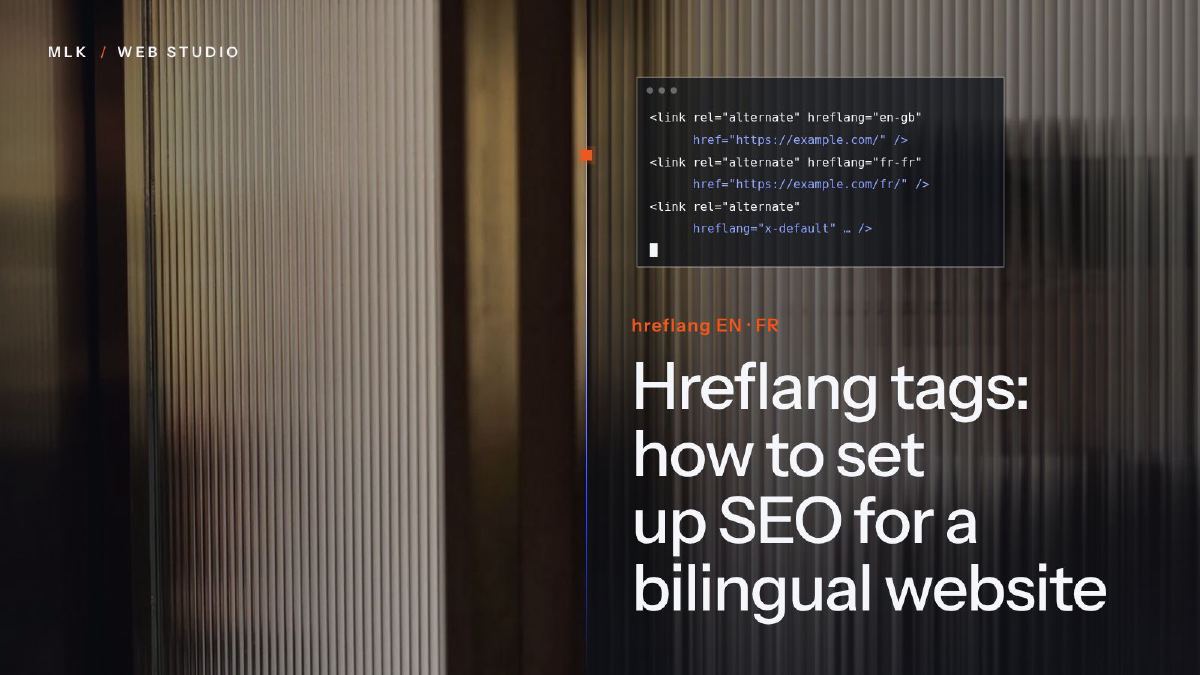
Hreflang tags: how to set up SEO for a bilingual website
Hreflang tags tell Google which language version of a page to show. How to set them up on a bilingual site, check them and avoid the mistakes that break them.
Hreflang tags are lines of code that tell Google which pages are language versions of each other, so French searchers see your French page and English searchers your English one. Each version lists every version, itself included, with full URLs, valid codes such as en, fr or en-GB and an x-default for everyone else, in the page head, an HTTP header or the sitemap. The tags do not make a page rank: each version still has to be written for its own market.
Hreflang tags are short lines of code that tell Google that two pages say the same thing in different languages, and which one to show to whom. On a bilingual website, they keep your French page in front of people searching in French and your English page in front of people searching in English, instead of letting Google pick one version for everybody.
This blog relies on them: almost every article exists in English and in French, and each version points to the other. I did the same for a client, Eden Corporate Mobility, whose bilingual site has 17 pages in each language. This tutorial covers the codes to use, the three places where the tags can go, the set-up on common platforms and the checks that tell you Google reads them.
It is part of my guide to small business SEO.
What hreflang tags do (and what they do not)
An hreflang tag is a link that names another language version of the current page, and the language of that version. Here is one:
<link rel="alternate" hreflang="fr" href="https://www.yourbusiness.com/fr/services/nettoyage-bureaux/">
It reads: the French version of this page lives at this address. When the English and French versions point to each other this way, Google can show each searcher the version in their language. Without the tags, it may still work out the pairs on its own, but you leave the guessing to Google.
What the tags do not do matters as much:
- They do not translate anything. Each version must already exist, written in its own language.
- They do not tell Google what language a page is in. Google reads the visible text for that.
- They do not redirect anyone. The searcher lands on the page they clicked; a language switch on your site does the rest.
- They do not make a page rank. They swap one version for another where your site already appears. Ranking still comes from the content, the keywords and the rest of your SEO.
Write each language for its own market first
My rule, on this site and for clients: every language version has to rank in its own market. A word-for-word translation gives you a page in the right language that targets the wrong searches, because people do not search the same way in English and in French.
So each version gets its own keyword, chosen from how people search in that language, its own slug, title and meta description, and its own examples and currency. On this blog, that looks like this:
| English version | French version | |
|---|---|---|
| Main keyword of the Search Console tutorial | how to use Google Search Console | tuto Google Search Console |
| Its address | /blog/how-to-use-google-search-console/ | /fr/blog/tuto-google-search-console/ |
| Main keyword of this article | hreflang tags | balise hreflang |
| Prices | Pounds, with the dollar equivalent | Euros |
| Example domains | .co.uk | .fr |
Eden Corporate Mobility works the same way: each page has its own title and description in each language, written around what its audience searches for, hreflang links connect each pair and the sitemap lists both versions. The Eden Corporate Mobility project page shows the site, and the Eden Flats case study explains why Eden Flats made way for it.
To find those words, run your keyword research separately in each language, then write the titles and descriptions with my on-page SEO checklist. Google does not treat a properly translated page as a copy of the original. A page with a translated menu and its main text left in the other language is another matter, so keep each page in one language from top to bottom.
Step 1: give each language its own address
Hreflang tags link addresses, so each language version needs its own URL. Google recommends separate URLs rather than one address whose language changes with a cookie or the browser settings (Google’s guide to multilingual sites).
| Structure | Example | My view for a small business |
|---|---|---|
| Subfolder | yourbusiness.com/fr/ | The simplest: one site, one domain, one place to update |
| Subdomain | fr.yourbusiness.com | Works too, with a DNS record to add for each language |
| Separate domains | yourbusiness.co.uk and yourbusiness.fr | Makes sense when each country has its own offer; two sites to look after |
| Parameter or cookie | yourbusiness.com/?lang=fr | Avoid it |
Two more rules for this step:
- Do not redirect visitors automatically according to their location or browser language. Google advises against it: its crawler usually visits from the United States without stating a language, so it may only ever see one of your versions. And a French speaker living in Manchester should still be able to read your French pages.
- Add a language switch to every page, leading to the same page in the other language rather than to the other home page. The EN/FR switch in this site’s header and footer works this way.
Step 2: choose your language codes and your x-default
The value of the hreflang attribute is a language code, which can be followed by a region code: the language in ISO 639-1 format (en, fr), the region in ISO 3166-1 Alpha 2 format (GB, FR, BE). A region on its own is not accepted.
| Value | Meaning |
|---|---|
| en | English, for English speakers in any country |
| fr | French, for French speakers in any country |
| en-GB | English, for people in the United Kingdom |
| fr-FR, fr-BE | French, for people in France or in Belgium |
| x-default | The fallback for anyone whose language matches none of your versions |
For most bilingual small businesses, en and fr are all you need: one English version for every English speaker, one French version for every French speaker. That is what this site uses. Region codes only come in when you have several versions in the same language.
The x-default value tells Google which version to show people whose language matches none of yours, such as a German speaker on an English and French site. It is optional, but worth adding. Google introduced it for pages such as language selectors; on a bilingual site without one, point it to the version those visitors are most likely to read. On this site, it points to the English version.
Step 3: add the tags to the head, the sitemap or an HTTP header
Google reads hreflang in three places, and one of them is enough (Google’s guide to localised versions of a page). Wherever you put them, four rules apply:
- Each version lists every version, itself included, plus the x-default.
- The set of lines is identical on every version.
- Every address is complete, with https:// and the domain: a relative link such as /fr/ does not count.
- The links go both ways. If the English page names the French one and the French page does not name it back, Google may ignore the pair.
Also point only to the final address of each page: not to a redirect, an error page or a page hidden from search engines.
In the head of each page (most sites)
The lines go in the head section of both pages. For a site with English at the root and French under /fr/:
<link rel="alternate" hreflang="en" href="https://www.yourbusiness.com/services/office-cleaning/">
<link rel="alternate" hreflang="fr" href="https://www.yourbusiness.com/fr/services/nettoyage-bureaux/">
<link rel="alternate" hreflang="x-default" href="https://www.yourbusiness.com/services/office-cleaning/">
The same three lines go on the English page and on the French page. Note the French slug: each version keeps its own words.
On this site, a template prints them on every article. For this one, the head of both versions contains:
<link rel="alternate" hreflang="en" href="https://mlkwebstudio.com/blog/hreflang-tags-bilingual-website/">
<link rel="alternate" hreflang="x-default" href="https://mlkwebstudio.com/blog/hreflang-tags-bilingual-website/">
<link rel="alternate" hreflang="fr" href="https://mlkwebstudio.com/fr/blog/balise-hreflang-site-multilingue/">
In the page source, you will find them on one long line without quotation marks, because the code is minified (compressed) before it goes online. The content is the same.
In the XML sitemap (large sites)
If you cannot edit the head, or you have hundreds of pages, the sitemap can carry the same information. Each url entry repeats the full set, itself included:
<?xml version="1.0" encoding="UTF-8"?>
<urlset xmlns="http://www.sitemaps.org/schemas/sitemap/0.9"
        xmlns:xhtml="http://www.w3.org/1999/xhtml">
  <url>
    <loc>https://www.yourbusiness.com/services/office-cleaning/</loc>
    <xhtml:link rel="alternate" hreflang="en" href="https://www.yourbusiness.com/services/office-cleaning/"/>
    <xhtml:link rel="alternate" hreflang="fr" href="https://www.yourbusiness.com/fr/services/nettoyage-bureaux/"/>
    <xhtml:link rel="alternate" hreflang="x-default" href="https://www.yourbusiness.com/services/office-cleaning/"/>
  </url>
  <url>
    <loc>https://www.yourbusiness.com/fr/services/nettoyage-bureaux/</loc>
    <xhtml:link rel="alternate" hreflang="en" href="https://www.yourbusiness.com/services/office-cleaning/"/>
    <xhtml:link rel="alternate" hreflang="fr" href="https://www.yourbusiness.com/fr/services/nettoyage-bureaux/"/>
    <xhtml:link rel="alternate" hreflang="x-default" href="https://www.yourbusiness.com/services/office-cleaning/"/>
  </url>
</urlset>
In an HTTP header (PDFs and other files)
A PDF has no head, so its alternate versions go in the HTTP header the server sends with the file. This is a server setting, for your developer or your host:
Link: <https://www.yourbusiness.com/price-list.pdf>; rel="alternate"; hreflang="en", <https://www.yourbusiness.com/fr/tarifs.pdf>; rel="alternate"; hreflang="fr"
Choose one place and stick to it. If your platform already writes the tags in the head, do not add a hand-made set to the sitemap that could contradict them.
Step 4: set it up on your platform
WordPress, Wix and translation tools
Most translation tools write the tags for you: WPML and Polylang on WordPress, Wix Multilingual on Wix, and services such as Weglot. Your job is to check what they produce (Step 5), not to add your own lines.
Squarespace
Squarespace has no built-in translation. Its help centre describes two routes: Weglot, or building each language’s pages yourself (Squarespace’s guide to manual multilingual sites).
- With Weglot, you manage the translations in Weglot’s dashboard, and Weglot says it adds the hreflang tags itself. Its plans depend on the number of words and languages, so check the price against the size of your site.
- By hand, you duplicate each page, give the copy a French slug, SEO title and description, translate it, then paste the hreflang lines on both versions, in the Page Header Code Injection field of the Advanced tab in the page’s settings. Code injection needs the Core plan or above, not Basic: my Squarespace code injection guide shows where everything sits.
Squarespace is what I give clients who want to edit their site themselves, and I usually add some code to it. Hreflang lines suit that split: they are pasted once, and the client can rewrite the text around them without breaking anything. The trap is a renamed slug: the lines on both pages must change with it. Squarespace’s guide also warns that HTML in that field can disappear if you turn off the header’s transparency, so check the page source after saving (Step 5), and again after any change to the header. My Squarespace SEO tutorial shows where each page’s slug, title and description are set.
Custom-coded sites
On a custom-coded site, let the template write the lines from data, so nobody types an address twice. On this site, built with Hugo, each article and its translation share a key: the template finds the other version, prints one line per language plus the x-default, and a new article has its tags the day it goes online.
Step 5: check that Google reads your tags
Search Console used to list hreflang errors in its International Targeting report. Google removed that report on 22 September 2022 (Google’s notice). It still uses the tags, but no report lists their errors any more, so the checks are up to you:
- Read the source of both versions. Right-click the page, choose View page source and search for hreflang (Ctrl+F, or Cmd+F on a Mac). Both versions must show the same set of lines, with complete addresses that open the right pages.
- Inspect the second-language page in Search Console. Paste its address into the URL Inspection bar and open the page indexing details: the User-declared canonical and the Google-selected canonical should both show that page’s own address. If Google chose the other language, it sees the page as a copy, and the Page indexing report lists it as Duplicate, Google chose different canonical than user. My Search Console tutorial shows where these reports sit.
- Run a site audit on a larger site. SEO crawlers and site audit tools flag missing return links and invalid codes across every page, which beats reading fifty page sources one by one.
The mistakes to look for first:
| Mistake | What happens | Fix |
|---|---|---|
| No return link | Google may ignore the pair | Put the same set of lines on both versions |
| en-UK, uk or fr_FR | The value is invalid or names another language | en-GB (or en) and fr-FR (or fr), with a hyphen |
| Relative address (/fr/…) | Google expects complete addresses | Complete addresses with https:// |
| Canonical pointing to the other language | The second version is treated as a copy | Each version’s canonical points to itself |
| Link to a redirect, a 404 or a noindex page | Google may ignore the pair | Link the final, indexable address |
| Automatic redirect by location | Google may never see one of the versions | Remove it and add a language switch |
| Menu translated, main text not | The page can be treated as a duplicate | Translate the whole page, then adapt it |
Your hreflang checklist, and when to hand it over
Before you call it done:
- Each language has its own address, in a subfolder if you have the choice.
- Each version is written for its market: its own keyword, slug, title, description, examples and currency.
- Every version lists every version, itself included, plus an x-default.
- The codes are valid: en, fr, en-GB or fr-FR, never en-UK or fr_FR.
- Every address is complete and opens a live page.
- Each version’s canonical points to itself.
- No automatic redirect, and a language switch that leads to the same page in the other language.
- The source and URL Inspection checked on a few pages in each language.
If your platform writes the tags, through a WordPress plugin, Wix Multilingual or Weglot, you do not need anyone for this: run the checks above once and spend your time on the content of each version. It is worth handing over when the tags are typed by hand on dozens of pages, when you run a separate domain per country, or when Google keeps showing the wrong version and the checks do not explain why.
Frequently asked questions
Do I need hreflang tags if my site is in one language?
Is hreflang the same as the HTML lang attribute?
Do I need separate pages for the UK and the US?
Can hreflang tags point to another domain?
How long do hreflang tags take to work?
Joana MehouWeb designer, SEO and cold emailing specialist
Joana Mehou has been building websites since the age of eleven and founded MLK Web Studio in 2021, between London and Paris: websites, SEO, cold emailing and automation for small businesses in the UK and France, with honest advice, including when you do not need to hire anyone.
More about the studioThe searches your clients type, the pages that answer them, the technical work behind.
 How to use Google Search Console: a step-by-step guide for beginners
How to use Google Search Console step by step: verify your site, submit a sitemap, read the Performance and Page indexing reports, and the new AI reports.
How to use Google Search Console: a step-by-step guide for beginners
How to use Google Search Console step by step: verify your site, submit a sitemap, read the Performance and Page indexing reports, and the new AI reports.
 On-page SEO checklist: what to optimise on every page of your site
An on-page SEO checklist for small business websites: keyword, URL, headings, copy, images, internal links, title tag, meta description and schema.
On-page SEO checklist: what to optimise on every page of your site
An on-page SEO checklist for small business websites: keyword, URL, headings, copy, images, internal links, title tag, meta description and schema.
 Squarespace SEO: the 8 settings to get right, step by step
Squarespace SEO step by step: SEO titles and descriptions, URL slugs, alt text, 301 redirects, your sitemap in Search Console, AI crawlers and llms.txt.
Squarespace SEO: the 8 settings to get right, step by step
Squarespace SEO step by step: SEO titles and descriptions, URL slugs, alt text, 301 redirects, your sitemap in Search Console, AI crawlers and llms.txt.