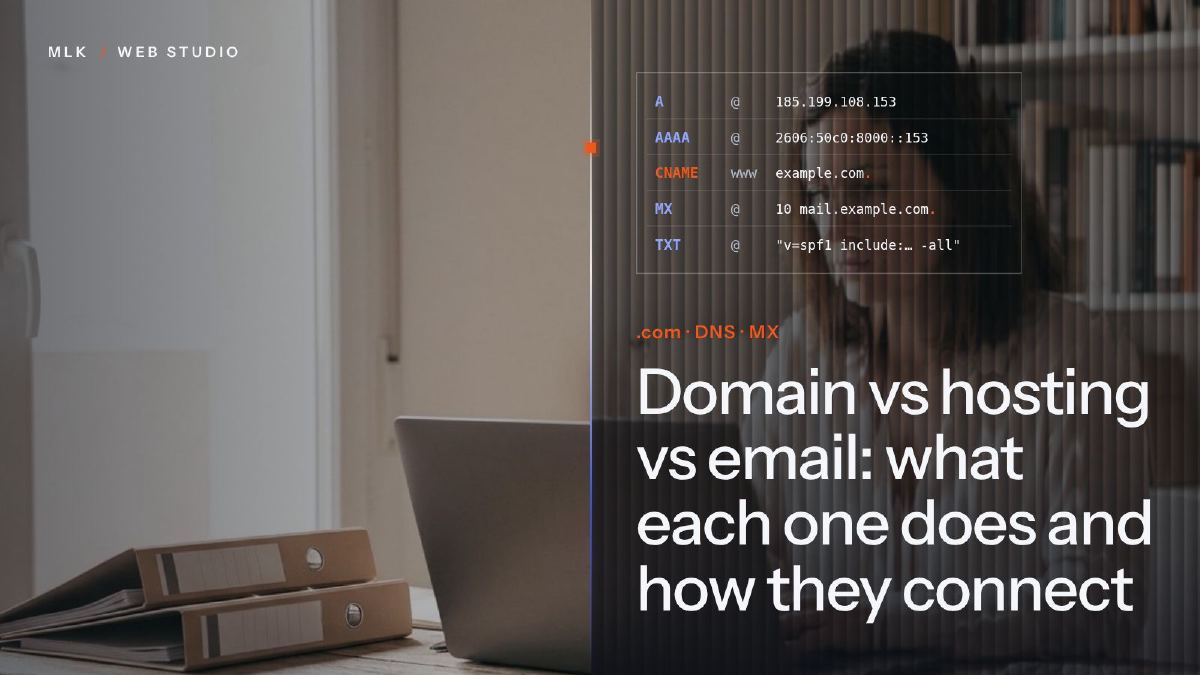
Domain vs hosting vs email: what each one does and how they connect
Domain vs hosting vs email: what each one does, why they can sit with three companies, how DNS links them, and which accounts your business must own.
A domain is the address you rent from a registrar, such as yourbusiness.co.uk; web hosting is the server that stores your website and sends it to visitors; email hosting runs the mailboxes behind hello@yourbusiness.co.uk. All three can sit with different companies because DNS links them: A and CNAME records point the domain at the website, MX records at the mailboxes. Register the domain in your business’s name and keep the registrar login yourself.
Domain vs hosting is the first thing to untangle before you build or move a website. The domain is the name people type, such as yourbusiness.co.uk. Hosting is the computer that stores your website and sends it to their browser. Email is a third service again, with its own servers, and none of the three has to come from the same company.
Connecting the website to its domain is the last step of every website project I deliver, just before we publish. I have registered or connected domains at Squarespace (which took over Google Domains), Namecheap, Spaceship, Infomaniak, Hostinger and OVHcloud, and the one real trap I met fits in a single character. I show it further down.
This page is the hub of the blog’s domains, hosting and email section: what each piece does, how DNS ties them together, which accounts your business must own, and which detailed guide to open next.
Domain vs hosting vs email: the difference in one table
Each column is a separate service that you can buy, renew and move on its own.
| Domain | Web hosting | Email hosting | |
|---|---|---|---|
| What it is | The name people type to find you | Servers that store your site and send it to visitors | Servers that receive, store and send your mail |
| Example | yourbusiness.co.uk | Squarespace, GitHub Pages, a cPanel plan | hello@yourbusiness.co.uk on Spacemail or Google Workspace |
| Who sells it | A registrar: Spaceship, Namecheap, Squarespace, OVHcloud | A web host or a website builder | An email provider |
| How you pay | A yearly renewal | Monthly or yearly, or included in a builder’s plan | Per mailbox or per user |
| Example price (October 2026) | $5.42 (about £4) a year for a .co.uk at Spaceship | £0 on GitHub Pages, included in a Squarespace plan | Under $1 (less than £1) a month per mailbox at Spacemail; £5.90 (about $8) per user a month at Google Workspace |
| Its records in the DNS | The nameservers (NS) | A, AAAA and CNAME | MX, plus TXT for SPF, DKIM and DMARC |
If you keep one picture in mind, make it this one: the domain is your business’s name in the directory, the hosting is your premises and the email is your letterbox. You can move to bigger premises and keep the same name, as long as the directory lists the new address. That directory is DNS.
What a domain name is, and who you really pay for it
A domain name is the readable address that sends visitors and mail to the servers behind your business. You never buy one outright: you rent it for a year or more at a time and renew it, or you lose it.
Three parties are involved:
- The registry runs the extension: Nominet for .uk, Afnic for .fr, Verisign for .com.
- The registrar sells you the name on the registry’s behalf: Spaceship, Namecheap, Squarespace, OVHcloud and many others.
- The registrant is whoever the name is registered to. That should be your business, and the section on accounts below explains why.
The registrar matters for three things: the renewal price, the DNS editor and the support. Compare the renewal price, not the first year. At the time of writing (October 2026), a .co.uk costs $5.42 (about £4) a year at Spaceship, and the renewal costs the same. Hostinger sells one for £0.01 the first year, on a registration of three years or more, then charges £10.99 (about $15) a year. I compare six registrars on exactly that point in the best domain registrar in the UK, and Hostinger’s renewal prices get a page of their own.
I trust both Namecheap and Spaceship, which Namecheap built. To me, Spaceship is the up-to-date version of Namecheap: fair prices, support that answers 24/7, and every issue I have raised has been resolved. It is where I register domains by habit. Spaceship vs Namecheap explains how the two compare, and the Spaceship DNS settings tutorial takes you from buying the domain to connecting it, step by step.
If your domain sits with a registrar you no longer like, you can move it without changing anything else: how to transfer a domain covers a .com and a .co.uk, which do not move the same way.
What web hosting is, and when you do not need to buy it
Web hosting is rented space on a server that stays online day and night, stores your site’s files and sends them to every visitor’s browser. What you need depends on how the site is built, and in one common case you do not buy hosting at all.
| How the site is built | Where it is hosted | Who it suits |
|---|---|---|
| Website builder (Squarespace, Shopify) | Included in the subscription | Owners who want to edit their own site |
| WordPress or a coded site on shared hosting | Spaceship Web Hosting (cPanel), Infomaniak, Hostinger, OVHcloud | Sites that need a database or plugins |
| Static site (plain HTML and CSS) | GitHub Pages, free for a public repository | Brochure sites with no shop and no login |
| Web app or custom tool | A cloud server or an app platform, such as Spaceship’s Starlight range | Software, not brochure sites |
If your site is on Squarespace, the hosting is part of the plan: all you add is the domain. Squarespace is what I give clients who want to make their own changes, because changing a word there never brings the layout down. If you are still choosing a platform, the small business website guide compares the options, and how much a website costs in the UK covers the price of the site itself.
For WordPress or a coded site, you need a host. I have worked with OVHcloud and Hostinger because clients were already there. Both suit people with technical skills, but I do not recommend either to a small business owner who runs the site alone: they are a bit complicated to handle. I discovered Infomaniak the same way, and I recommend it highly. My Infomaniak review explains why, and Hostinger vs OVH vs Infomaniak puts the three side by side. Spaceship sells hosting too, from cPanel plans to cloud servers for apps, and Spaceship hosting explained sorts out which product suits which site.
A simple brochure site can also be built with AI and hosted for free. This site is a static site on GitHub Pages under its own domain, and building a website with AI and hosting it on GitHub Pages shows the whole method. GitHub states that Pages is not meant for running an online business such as a shop, so keep it for a showcase site.
Email hosting: the third piece people forget
Email hosting is the service that runs your mailboxes: it receives the mail sent to your domain, stores it and sends your replies. It is a separate service from the domain and the website, even when one company sells you all three.
Squarespace, for example, does not run mailboxes itself. Its email offer is Google Workspace, bought from the Domains panel, and other providers connect to a Squarespace domain with DNS records. Some web hosting plans do include basic mailboxes: Spaceship’s Web Hosting comes with a special Spacemail plan, for instance. That is convenient, but it ties your email to your hosting, so cancelling or moving one means dealing with the other.
Email is best kept on a service of its own. You can then rebuild the website, change platform or change host without your inbox ever noticing. The main options for a small business:
- Spacemail, Spaceship’s email: under $1 (less than £1) a month per mailbox at the time of writing (October 2026), on Spaceship’s Spacemail plans. It is the one I recommend, and the Spacemail setup guide covers the mailbox, the DNS records and the email app settings.
- Google Workspace: Business Starter costs £5.90 (about $8) per user a month on the annual plan, excluding VAT, according to Google. It makes sense when your team already lives in Gmail, Drive and Meet.
- Microsoft 365: the same idea, built around Outlook and Teams. I used to run my email on Microsoft and it was a pain to manage. I have never had that trouble with Namecheap’s or Spaceship’s email.
- Infomaniak’s kSuite: mail, storage and collaboration tools hosted in Switzerland, covered in the Infomaniak review above.
How to get a professional email address compares these options in detail, with what each one costs. If you choose Google Workspace or Microsoft 365, my guide to their security settings shows which ones to change first.
Whichever provider you choose, add SPF, DKIM and DMARC records to the domain. Since February 2024, Gmail has required senders to authenticate their mail, and since November 2025 it has rejected more of the mail that fails. If your messages land in spam, setting up SPF, DKIM and DMARC fixes it, step by step. If you also send a newsletter, my guide to newsletter deliverability covers the extra rules for bulk senders, such as one-click unsubscribe.
One more rule: never send cold emails from your main domain. Prospecting belongs on secondary domains with mailboxes of their own, so that your everyday inbox never pays for it. Cold email infrastructure explains how to size that setup, and MLK Leadhunters, the studio’s sister brand for cold emailing, explains why the main domain stays out of it.
How DNS connects your domain, hosting and email
DNS, the Domain Name System, is the public directory that turns your domain into the addresses of the servers that handle it. It is what lets one domain send visitors to Squarespace and mail to Spacemail at the same time.
Two ideas cover most of it.
The nameservers decide where your records live. By default, the registrar hosts your DNS zone, so you edit the records in its panel. If you point the nameservers somewhere else, to Squarespace or to a host, that becomes the only place where your edits count. Editing records at the registrar while the nameservers point elsewhere changes nothing, and it is a classic reason why a connection seems stuck.
Each record has one job. A and AAAA records send the domain to a server’s IP address, a CNAME makes one name an alias of another, MX records say which servers take your mail, and TXT records carry SPF, DKIM, DMARC and the verification codes that platforms ask for. DNS records explained covers every type with examples.
Here is the zone of a common small business setup, with the domain registered at Spaceship, the website on Squarespace and the email on Spacemail:
; yourbusiness.co.uk: domain at Spaceship, website on Squarespace, email on Spacemail
@                         A      198.185.159.144
@                         A      198.185.159.145
@                         A      198.49.23.144
@                         A      198.49.23.145
www                       CNAME  ext-cust.squarespace.com.
<code from Squarespace>   CNAME  verify.squarespace.com.
@                         MX 0   mx1.spacemail.com.
@                         MX 0   mx2.spacemail.com.
@                         TXT    "v=spf1 include:spf.spacemail.com ~all"
spacemail._domainkey      TXT    "v=DKIM1; k=rsa; p=<key from Spaceship>"
_dmarc                    TXT    "v=DMARC1; p=none; rua=mailto:dmarc@yourbusiness.co.uk"
The top half is the website and the bottom half is the email. To move the website, you change only the top half; to change email provider, only the bottom half. That separation is why three companies can work together without knowing about each other.
Two mistakes are common. A CNAME never goes on the root of the domain (the @ lines): the root already carries other records, such as the nameservers, MX and TXT, and a CNAME cannot share its name with any other record. Some DNS hosts, Spaceship among them, offer an Alias record for that case. And when a platform offers to take over your nameservers, read the small print first. Squarespace warns that its nameserver connection removes CNAME records and can break email set up with DNS records, so it advises connecting with DNS records instead when you want to keep your own.
The dot is a DNS rule, not an OVHcloud quirk: a name that ends with a dot is complete, and a name without one gets the zone’s own name added to it. Some panels add the dot for you, others do not. The tutorials show each panel as it is: connecting an OVH domain to Squarespace, connecting a Namecheap domain to Squarespace, and the Spaceship tutorial linked above.
One company or three: should you keep them together?
Buying everything from one company is tempting: one account, one bill, one support desk, and records often filled in for you. With Spaceship’s nameservers, for example, Spacemail adds its own records. Splitting the pieces asks for a little more DNS work, and gives you freedom in return.
| Everything with one company | Domain, website and email apart | |
|---|---|---|
| Setup | Fastest, with records often added for you | A few records to copy by hand |
| Billing | One bill, but introductory prices often tied to long terms | Several small bills, each easy to compare |
| Changing one piece | The others can get caught up in it | Move one, the others carry on |
| If an account is lost or hacked | Everything goes at once | Only that piece is exposed, unless it is the registrar account |
The setup I recommend to most small businesses: the domain and the email with a registrar you trust (for me, by habit, Spaceship and Spacemail), and the website wherever it is built best. That means Squarespace for owners who edit their own site, and GitHub Pages or a host for a coded one. What I would avoid is a bundle chosen for its first-year price. Hostinger’s offers are cheap only on long prepaid terms, and the renewal is a different story, as the .co.uk example above shows.
Which accounts your business must own
Whoever holds the registrar account holds your website and your email, because both depend on the domain’s DNS. So the accounts belong to the business, not to the web designer, the nephew who set it all up or an employee’s personal address.
- The domain is registered in your business’s name. The registrant is the legal holder, whoever paid the invoice. Check it with a public lookup: ICANN Lookup for a .com, Nominet’s WHOIS for a .co.uk.
- The login uses an address you will always control, ideally outside the domain itself. If the domain lapses, an inbox on that same domain stops receiving the renewal reminders.
- Two-factor authentication is on at the registrar, the host and the email provider.
- Auto-renew is on and the card on file is valid. Note the renewal dates somewhere other than the registrar’s own emails.
- Your designer gets access, not ownership. Invite them as a user or contributor where the platform allows it, and remove that access when the job is done.
If someone else already holds your domain, getting your domain back from a former web designer sets out the steps, from a written request to a dispute procedure. For the wider security picture, from passwords to what to do after a hack, see website security for small businesses.
Choosing the extension: .co.uk or .com?
For a business that sells in the UK, .co.uk is the natural choice: it tells visitors at a glance that you trade here. A .com suits a business with clients abroad, or a name that only works as a .com. If both are available, register both and send one to the other with a permanent (301) redirect, so that a single address appears in Google and on your cards.
A few practical points:
- Pick the extension you will print, then keep it. Changing domain later means redirects, new email addresses and a new round of DNS.
- If you also sell in France, a .fr can only be held by a person resident, or a company established, in the EU, Iceland, Liechtenstein, Norway or Switzerland, under Afnic’s naming policy. A company established only in the UK cannot hold one in its own name.
Setting it all up in the right order (and when to hand it over)
Here is the order I recommend. It ends the way every website project I deliver ends, with the domain connected last, and it works just as well if you do it yourself:
- Secure the domain. Register it in the business’s name, or check who holds the one you have, then turn on auto-renew and two-factor authentication.
- Choose where the website lives: a builder such as Squarespace, a host for WordPress or a coded site, or GitHub Pages for a static brochure site.
- Set up the email. Create the mailboxes, add the MX records, then SPF, DKIM and DMARC.
- Build the site on its temporary address. Most platforms give you one while you work, such as a built-in Squarespace address or
<username>.github.io. - Connect the domain last. Add it on the platform first (GitHub asks for this before any DNS change, so that no other account can use your domain), then delete the parking page or redirect records on @ and www, add the platform’s A and CNAME records, and leave the MX and TXT records alone. Mind the trailing dot.
- Check everything. Open the site with and without www, make sure the padlock (HTTPS) shows, and send a test email to a Gmail address: Show original should say PASS for SPF, DKIM and DMARC.
- Write down where everything lives: registrar, DNS host, website host, email provider, renewal dates, and who has access to what.
You do not need me for this. The tutorials linked on this page are written so that you can do every step yourself, and most connections come down to a handful of records. Hand it over when the stakes are higher: email already running on the domain and a nameserver change to make, a domain held by someone else, a site that has been hacked, or several domains to redirect to one site. That is part of my website projects, where connecting the domain is the final step before going live.
Frequently asked questions
Do I need to buy a domain to have a website?
What happens to my website and email if my domain expires?
How long does it take for a domain to connect to a website?
Can I move my domain to another registrar without taking my site offline?
What is WHOIS privacy, and do I need it?
Joana MehouWeb designer, SEO and cold emailing specialist
Joana Mehou has been building websites since the age of eleven and founded MLK Web Studio in 2021, between London and Paris: websites, SEO, cold emailing and automation for small businesses in the UK and France, with honest advice, including when you do not need to hire anyone.
More about the studioA website that brings in clients, designed, written and built for you.
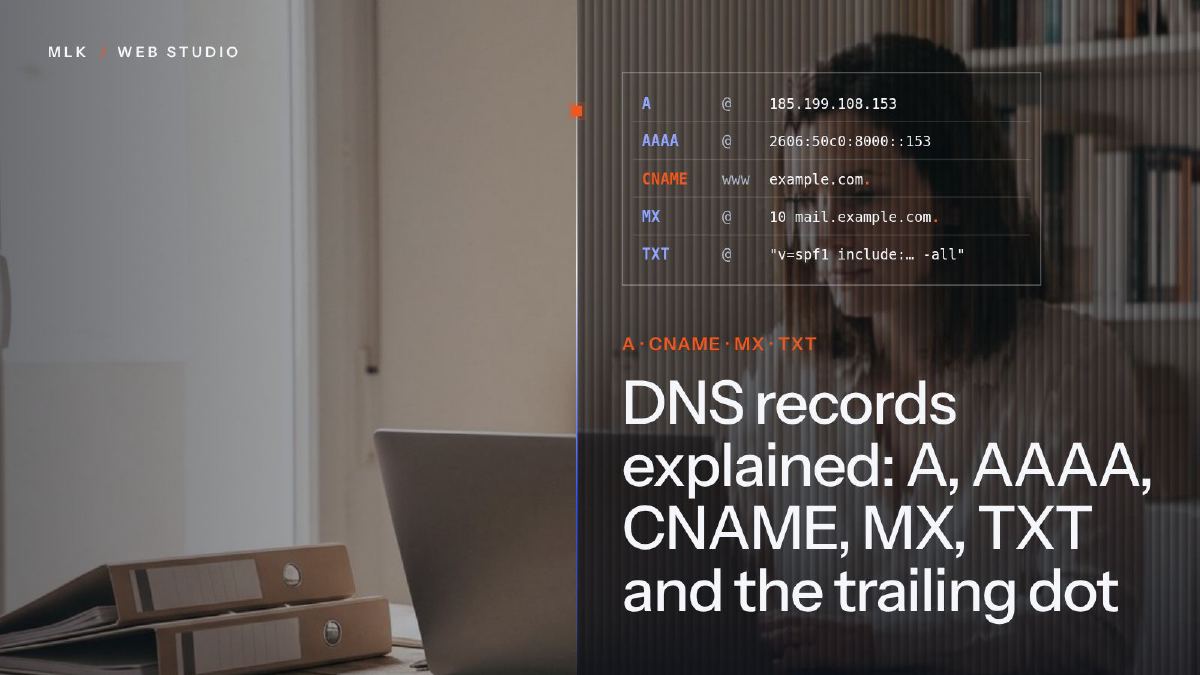 DNS records explained: A, AAAA, CNAME, MX, TXT and the trailing dot
DNS records explained in plain English: what A, AAAA, CNAME, MX and TXT records do, real examples, TTL, propagation and the trailing dot that breaks a CNAME.
DNS records explained: A, AAAA, CNAME, MX, TXT and the trailing dot
DNS records explained in plain English: what A, AAAA, CNAME, MX and TXT records do, real examples, TTL, propagation and the trailing dot that breaks a CNAME.
 Best domain registrar in the UK: six I have used, compared on renewal price
The best domain registrar in the UK, judged on the price you pay from year two: six registrars I have used, compared on .co.uk and .com renewals.
Best domain registrar in the UK: six I have used, compared on renewal price
The best domain registrar in the UK, judged on the price you pay from year two: six registrars I have used, compared on .co.uk and .com renewals.
 Hostinger vs OVH vs Infomaniak: which web host suits a small business?
Hostinger vs OVH vs Infomaniak for a UK small business: first-year and renewal prices, ease of use, support, data location and email, compared honestly.
Hostinger vs OVH vs Infomaniak: which web host suits a small business?
Hostinger vs OVH vs Infomaniak for a UK small business: first-year and renewal prices, ease of use, support, data location and email, compared honestly.