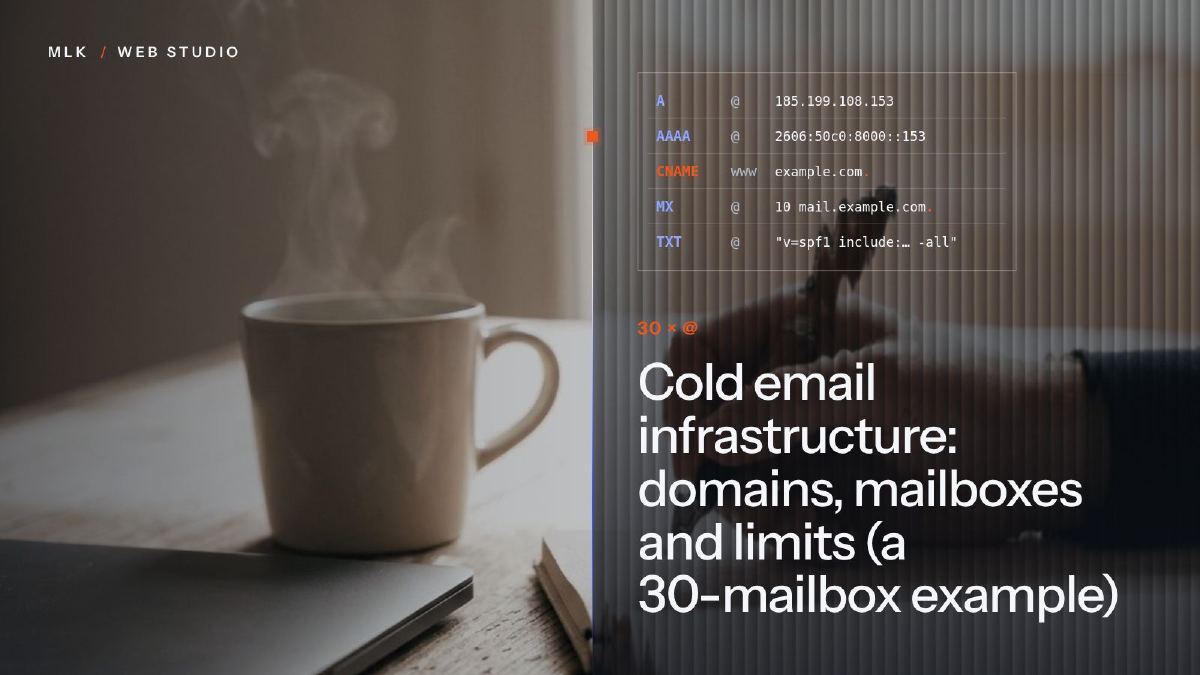
Cold email infrastructure: domains, mailboxes and limits (a 30-mailbox example)
Cold email infrastructure: how many secondary domains and mailboxes to buy, what each can send a day, the Gmail and Outlook rules, and a 30-mailbox example.
Cold email infrastructure is the set of secondary domains, mailboxes, DNS records and sending tool that carries a campaign, kept apart from your main domain. Size it from your volume: Instantly’s guides suggest about 30 cold emails a day per mailbox, far below provider ceilings such as Google Workspace’s 2,000 a day. So 300 emails a day takes about 10 mailboxes over three or four domains, each with SPF, DKIM and DMARC, warmed up before the first send.
Cold email infrastructure is everything that carries your cold emails before anyone reads them: the secondary domains you send from, the mailboxes on those domains, the DNS records that prove the mail is yours, and the tool that spreads the sending over the day. When it is right, nobody notices it. When it is wrong, well-written emails land in spam, and if they went out from your main domain, your quotes and invoices can follow them there.
This guide answers the sizing questions: how many domains and mailboxes to buy, how much each mailbox can send in a day, and which rules Gmail, Yahoo and Outlook enforce. Then comes the example of the 30 sending addresses behind a campaign I run for Pilotech, an air conditioning installer in the Paris region, followed by a set-up checklist.
For the campaign as a whole (the list, the emails, the follow-ups), start with my guide to B2B cold emailing. This article is about the plumbing underneath.
What cold email infrastructure is made of
There are five parts, and each comes with one decision.
| Part | What it is | The decision |
|---|---|---|
| Secondary domains | Domain names close to your brand, bought only to send cold email | How many, and which extension |
| Mailboxes | Real addresses on those domains, hosted by a mail provider | Which provider, and how many per domain |
| DNS records | MX so that replies arrive, plus SPF, DKIM and DMARC to prove the mail is yours | None: every domain needs all four |
| Sending tool | The software that warms the mailboxes up, spreads the sending and stops when someone replies | The daily limit per mailbox |
| Replies | Where answers and calls land | Who answers, and how fast |
The sending tool matters more than it looks, because it holds the daily limits. I use Instantly: it is the tool I started with, it is straightforward, and once you find the right recipe its settings do a lot to keep you out of spam. I have found no reason to change. My Instantly tutorial shows how to connect the mailboxes and set those limits.
Why the main domain never sends
Your main domain is the one on your website, your invoices and your customers’ address books. Cold email always carries some risk of spam reports, and reputation sticks to the domain: if inbox providers start to distrust it, your everyday email suffers too.
So cold email goes out from secondary domains. If your company’s domain is yourbrand.co.uk, you might send from getyourbrand.co.uk and yourbrandhq.co.uk, and nothing cold ever leaves yourbrand.co.uk. MLK Leadhunters sets out the reasoning in Never send cold emails from your main domain. The question here is how many of those domains you need, and the answer starts with how much each mailbox can send.
Sending limits are ceilings, not targets
Every mail provider publishes how much one mailbox may send. Those limits exist to stop abuse, and a cold email mailbox that came anywhere near them would be flagged long before. The number that matters is in the last row.
| Provider or source | Published limit | For cold email |
|---|---|---|
| Google Workspace | 2,000 messages a day per user, 500 during the free trial | A ceiling; do not start cold email on a trial account |
| Microsoft 365 (Exchange Online) | 10,000 recipients a day, 30 messages a minute | A ceiling |
| Spacemail (Spaceship) | 500 emails an hour per mailbox on paid plans, 20 an hour on a trial | A ceiling, with strict rules (see below) |
| Instantly’s own guides | About 30 cold emails a day per mailbox, up to 50 on some pages | A working volume, reached gradually |
These are the published figures at the time of writing (October 2026).
Thirty a day is 1.5 per cent of Google’s ceiling, and the gap is deliberate. A new mailbox has no reputation, so it starts in single digits and climbs week by week while the warm-up runs; MLK Leadhunters’ article on email warm-up explains how long that takes and how to tell that it worked. When you need more volume, add mailboxes rather than pushing each one harder. Instantly’s guides give the same advice, and this article uses 30 a day per mailbox for every calculation.
Which provider?
From experience, Microsoft works very well for cold email but is tricky to set up, and Google is worse. Spacemail, Spaceship’s email service, is the one I encourage you to consider: setting it up is easy, and Spaceship’s support is there around the clock and has always sorted out my problems. The detailed comparison is in my guide to the best email provider for cold email, and my Spacemail set-up tutorial covers creating the mailboxes.
The sender rules Gmail, Yahoo and Outlook enforce
Since February 2024, Google’s email sender guidelines have set the rules for anyone sending to Gmail addresses, and Yahoo brought in similar rules at the same time.
- Every sender needs SPF or DKIM on the sending domain, valid forward and reverse DNS, a TLS connection, and a spam rate (the share of your emails that recipients report as spam) under 0.3 per cent. Google advises staying under 0.1 per cent.
- Senders of more than 5,000 messages a day to Gmail addresses also need SPF, DKIM and DMARC together, with a DMARC policy of at least p=none, the From domain aligned with SPF or DKIM, and one-click unsubscribe on marketing messages.
Microsoft followed for Outlook.com, Hotmail and Live addresses. Since 5 May 2025, a domain that sends them 5,000 or more messages a day must pass SPF and DKIM, publish a DMARC record, and have SPF or DKIM aligned with the From domain. Mail that fails is rejected with the error 550 5.7.515 Access denied, as Microsoft’s page on that error explains. If you also send a newsletter, my guide to newsletter deliverability explains these rules for that kind of sending.
What this means for a small cold email set-up:
- Reverse DNS and TLS are your provider’s job when you send through its servers. SPF, DKIM and DMARC are yours, on every sending domain. My SPF, DKIM and DMARC tutorial shows the records, and MLK Leadhunters has a plain-English explanation of what each one does.
- Add all three records even below 5,000 a day. Strictly, the thresholds only count mail sent to personal Gmail and Outlook.com addresses, but business inboxes on Google Workspace, Microsoft 365 and other providers run filters whose rules are not published. The records cost nothing, so there is no reason to skip them.
- The spam rate is the one line no DNS record can fix. A low rate comes from targeting, and from short emails that read as if a person wrote them. A list of people who never needed your offer will report you, however clean the set-up.
How many domains and mailboxes do you need?
Work backwards from the number of new people you want to reach each day.
- Emails a day = new contacts a day × emails per contact. My sequences stop at three emails, so once the follow-ups are running, a day carries first emails for today’s contacts and follow-ups for earlier ones: up to three times the day’s new contacts.
- Mailboxes = emails a day ÷ 30, rounded up, plus a spare or two so that one can rest.
- Domains = mailboxes ÷ mailboxes per domain. Keep it to a few per domain: more per domain means fewer domains to buy and set up, but a domain that runs into trouble takes all its mailboxes down with it. The table uses three.
| New contacts a day | Emails a day (3 per contact) | Mailboxes at 30 a day | Domains at 3 mailboxes each |
|---|---|---|---|
| 20 | 60 | 2 | 1 |
| 50 | 150 | 5 | 2 |
| 100 | 300 | 10 | 4 |
| 300 | 900 | 30 | 10 |
The spare mailboxes are not in the table. Each domain is a yearly fee and each mailbox a recurring subscription, and prices change, so check the provider’s pricing page before you multiply anything by 30.
If 20 new contacts a day is enough for you, two mailboxes on one secondary domain and a sending tool will do. You do not need anyone to set that up for you.
A 30-mailbox example: the Pilotech campaign
Pilotech installs air conditioning in the Paris region. The cold email campaign I run for it sends from 30 dedicated addresses to three audiences: Paris restaurants, Paris offices and shops, and architects. Architects were the main focus, and the ones who called most.
What those 30 addresses carry:
- Three plain-text emails at most per contact. The third one brings positive answers from people who forgot, or were too busy to answer the first two.
- No links and no HTML. The email gives a phone number and invites the reader to look at the catalogue on the website. With no links there is nothing to track, so there is no tracking domain to set up either. My reasons are in why I never put links in cold emails.
- Verified lists. The lists were cleaned with Reoon, the verifier I use every day, because dead addresses bounce and bounces wear down a sending domain’s reputation.
- Calls rather than replies. Replies go to the client, who also takes the calls, and prospects tend to pick up the phone rather than write back.
Over a year, the campaign brought Pilotech 15 new clients. In my campaigns, the first result comes within 36 hours of the first send. The domain names stay private, and so does the daily volume, but the capacity is easy to work out: at 30 emails a day each, 30 addresses can carry up to 900 emails a day, enough for about 300 new contacts a day on a three-email sequence.
That is a ceiling, not the daily volume, and unused capacity is what lets a mailbox, or a whole domain, rest without the campaign stopping. Why the architects called rather than replied is in my cold email case study, and the project is on the Pilotech Teknopoint page.
Setting it up, in order
- Size it. Count the mailboxes and domains with the table above, and add a spare.
- Buy the secondary domains. Keep the names close to your brand, pick an extension your prospects recognise and switch on auto-renewal. Redirect each domain to your main website, so a prospect who types the address lands somewhere real. Out of habit I use Spaceship; Namecheap is the other registrar I trust.
- Create the mailboxes. Give each address a real name and the same signature, with the phone number you want prospects to call.
- Add the DNS records on every domain, using the template below.
- Connect the mailboxes to your sending tool and start the warm-up, unless your provider’s rules forbid automated warm-up. Set a low daily limit per mailbox, and switch off open and link tracking if, like me, you send plain text.
- Verify the list before the first send.
- Raise each mailbox towards 30 a day over the following weeks, watching bounces and replies as you go.
The records for one sending domain always take the same shape; the values come from your mail provider:
getyourbrand.co.uk (one secondary domain)
MX     @                      your provider's mail servers
TXT    @                      v=spf1 include:<your provider> ~all
TXT    <selector>._domainkey  the DKIM key your provider generates (a CNAME at some providers)
TXT    _dmarc                 v=DMARC1; p=none
A DMARC policy of p=none is enough to meet the Gmail and Outlook rules. The SPF, DKIM and DMARC tutorial linked earlier covers reports and stricter policies once the domains are running.
Keeping it healthy, and when to hand it over
Once the campaign runs, five things deserve a weekly look:
- Bounces. A sudden rise means a bad batch of addresses: pause, and verify the list again.
- Spam rate. Gmail’s line is 0.3 per cent. Google Postmaster Tools shows the rate for a domain once it sends enough mail to Gmail addresses.
- Replies per domain. If one domain’s replies collapse while the others hold, rest it and let the others carry the volume.
- Renewals. A sending domain that expires takes its mailboxes with it.
- Growth. More volume means more mailboxes and domains, set up and warmed weeks ahead, never higher limits on the old ones.
Two mailboxes on one domain are well within reach on your own, with the tutorials linked above. Thirty are a different job: around ten domains at three mailboxes each, dozens of DNS records, warm-up to watch, renewals to track and replies to route. When I run a campaign, the client provides nothing to start with and I handle everything except the replies. If you would rather hand the whole thing over, that is what MLK Leadhunters does.
Frequently asked questions
Do cold email domains need their own website?
Which extension should a cold email domain use?
How long before a new cold email domain can send?
What should I do if one sending domain starts landing in spam?
Where do replies to cold emails go?
Joana MehouWeb designer, SEO and cold emailing specialist
Joana Mehou has been building websites since the age of eleven and founded MLK Web Studio in 2021, between London and Paris: websites, SEO, cold emailing and automation for small businesses in the UK and France, with honest advice, including when you do not need to hire anyone.
More about the studioQualified meetings, without chasing anyone.
Our cold email practice has its own home: MLK Leadhunters builds the sending infrastructure, writes the emails, runs the campaigns and sends you only the replies worth your time.
 Best email provider for cold email: Google vs Microsoft vs Spacemail
Best email provider for cold email: Microsoft 365, Google Workspace and Spacemail compared on deliverability, set-up, limits, rules and price per mailbox.
Best email provider for cold email: Google vs Microsoft vs Spacemail
Best email provider for cold email: Microsoft 365, Google Workspace and Spacemail compared on deliverability, set-up, limits, rules and price per mailbox.
 Emails going to spam? How to set up SPF, DKIM and DMARC, step by step
Emails going to spam? Set up SPF, DKIM and DMARC step by step: check Gmail's Show original, add records at Spaceship, Namecheap or OVH, then tighten DMARC.
Emails going to spam? How to set up SPF, DKIM and DMARC, step by step
Emails going to spam? Set up SPF, DKIM and DMARC step by step: check Gmail's Show original, add records at Spaceship, Namecheap or OVH, then tighten DMARC.
 Instantly.ai tutorial: set up your account and connect your mailboxes
Instantly AI tutorial, step by step: create the account, pick a plan, connect Google, Microsoft or Spacemail mailboxes, start warm-up and check the Unibox.
Instantly.ai tutorial: set up your account and connect your mailboxes
Instantly AI tutorial, step by step: create the account, pick a plan, connect Google, Microsoft or Spacemail mailboxes, start warm-up and check the Unibox.