B2B cold emailing: the complete guide for small businesses
B2B cold emailing from start to finish: what UK and French law allows, sending domains, a verified list, three plain-text emails and the calls that follow.
B2B cold emailing means sending short, personal emails to businesses that do not know you; in the UK and France it is legal without consent if you write to companies about their work, name yourself and honour opt-outs. A good campaign follows one order: one audience and one offer, a verified list, warmed-up mailboxes on secondary domains, then three plain-text emails with a phone number and no links. In my campaigns, the first reply or call usually comes within 36 hours.
B2B cold emailing is how a small business can reach the companies it wants as clients, instead of waiting for them to search. I believe it is the one channel that can take a small B2B business to the moon, and your competitors will do it whether you do or not.
It is also how my own studio grows: after referrals, cold email is the second way clients find me. For Pilotech, an air conditioning installer near Paris, the campaigns I run brought 15 new clients in a year.
This guide follows a campaign in the order I run it for clients: the law in the UK and France, the audience, the list, the sending set-up, the emails, the replies and the testing. Each step links to a detailed guide, so you can read this page as a map and open the ones you need.
What B2B cold emailing is, and when it works
B2B cold emailing is sending a short, personal email to someone at a business that has never heard of you, about something their business is likely to need. It is not a newsletter and not mass mailing: MLK Leadhunters explains what cold email is, and what it is not, so I will stick to when it works.
In my experience, it works best when three things are true:
- You sell to businesses you can list by trade and area: architects in Paris, restaurants in Leeds, accountants in Bristol.
- One new client is worth the effort, because a campaign takes a few weeks to prepare.
- Someone can answer the phone, because many prospects call rather than reply.
It does not suit a business that sells to consumers: in both countries, marketing emails to private individuals need their consent or an existing customer relationship. And it will not rescue an offer nobody wants. Cold email puts a good offer in front of the right people; it does not make the offer good.
Is B2B cold emailing legal in the UK and France?
The objection I hear is that cold emailing is illegal. For B2B, it is not, as long as you follow a handful of rules. Here is the short version, as general information rather than legal advice; my cold email GDPR checklist goes through each rule, and MLK Leadhunters sums up whether cold email is legal in France, the EU and the UK.
In the UK: PECR and UK GDPR
Under PECR, you can email limited companies, LLPs, Scottish partnerships and some public bodies without their prior consent. Sole traders and most partnerships outside Scotland count as individuals, so they must have agreed first, unless they are customers covered by the soft opt-in. The ICO’s page on business-to-business marketing adds a useful rule: if you cannot tell from the address which kind of business it is, treat it as an individual.
Every marketing email must say who is sending it and give a valid address to opt out. When the address names a person, such as jane.smith@firm.co.uk, UK GDPR applies as well: rely on legitimate interests and write your assessment down, give your privacy information in the first email at the latest, and stop at the first objection. Since February 2026, PECR fines can reach £17.5 million or 4% of worldwide turnover.
In France: what the CNIL allows
The CNIL lets you email professionals without prior consent when the message relates to their job, they have been told their address may be used for prospecting, and they can object simply and free of charge. Each email names the sender and offers an easy way to unsubscribe, and every objection goes on a suppression list (see the CNIL’s page on email prospecting, in French).
Three French details shape the set-up. Generic addresses such as contact@ or info@ are the company’s details, not a person’s, so the rules for individuals do not apply to them, although you still name yourself and offer an opt-out. The CNIL’s guidance is to keep a prospect’s data for three years at most after collection or their last contact with you. And since its recommendation on tracking pixels, published in April 2026, an open-tracking pixel needs consent, even in B2B: one more reason to send plain text with tracking switched off. The rest of the GDPR, beyond prospecting, is in my GDPR guide for small-team businesses.
Step 1: choose one audience and one offer
Every campaign I run starts with the same conversation: the client tells me which clients they want, and I go hunting for the right leads. One campaign means one audience, defined by trade, area and the problem you solve, and one offer for that audience.
For Pilotech’s Teknopoint campaigns, there were three audiences, each with its own emails: Paris restaurants, Paris offices and shops, and architects. Architects were the main focus and the ones who called most. Many are solo architects with large projects, such as 16 air conditioning units to fit in hotels; others run architecture firms. Most were in Paris, although one architect based in Toulouse got in touch too.
The offer was just as narrow: a free technical visit and a firm quote, for air conditioning invisible from the street. Specific beats broad. I learned it with websites too: one of the sites I made for the same client brought nothing because it offered too many services at once, while the one built around a very specific service ranks. A cold email that offers three things has the same problem, in three lines.
Step 2: build a list and verify every address
The list does most of the work. You need businesses that match the audience, the right person in each, and an address that works. MLK Leadhunters covers where leads come from and how to clean them; this is how I do it.
For businesses with a Google listing, such as plumbers, garages, hair salons or dental practices, a Google Maps scraper like Outscraper turns a search into a spreadsheet of names, phone numbers, websites and the emails those websites publish. It costs me a fraction of a penny per lead. Its limit is in the name: it only finds businesses that are on Google, so other audiences need other sources.
Then verify every address before it goes near a sending tool. Dead addresses bounce, and bounces wear down the reputation of your sending domains. I clean every list with Reoon, the only thing I bought on AppSumo that I use every single day, and its starter deal gives a small business plenty of verifications. The method is in email list verification with Reoon.
Finally, check the list against your suppression list: every address and domain that has asked not to hear from you, in the UK as in France. A spreadsheet is enough, as long as you check it before every campaign.
Step 3: set up sending domains and mailboxes
This is the step people skip, and a common reason first campaigns land in spam. The set-up has four parts: secondary domains, mailboxes, DNS records and warm-up. My cold email infrastructure guide sizes each one, with a 30-mailbox example.
Secondary domains and mailboxes
Buy a few domains close to your brand, such as yourbrand-uk.com or getyourbrand.co.uk, and create a few mailboxes on each, under real people’s names. Instantly’s guides suggest about 30 cold emails a day per mailbox, and you grow by adding mailboxes rather than by sending more from each one. Pilotech has 30 addresses used only for cold email.
SPF, DKIM, DMARC and warm-up
Each sending domain needs three DNS records that prove the email is really yours: SPF, DKIM and DMARC. MLK Leadhunters has them explained in plain English, and my tutorial shows how to set up SPF, DKIM and DMARC at the usual registrars.
The big providers enforce them. Since 5 May 2025, Outlook.com has required SPF, DKIM and DMARC from domains that send it 5,000 or more messages a day, and it now rejects the mail that fails. Since November 2025, Gmail has been rejecting more of the mail that fails its sender rules, and it asks senders to keep spam complaints below 0.1% and never reach 0.3%.
New mailboxes have no reputation, so warm them up before any campaign: each mailbox sends a small, rising number of emails until providers trust it. Instantly’s help recommends at least two weeks, and MLK Leadhunters explains what warm-up does and how long it takes.
Which email provider
In my experience, Microsoft 365 works very well for cold email but is tricky to set up, and Google Workspace does worse. The one I encourage is Spacemail, Spaceship’s email service, because it is simple to set up and the cheapest of the three. The catch is serious: Spaceship’s rules count any email to people who have not opted in as unsolicited, ban unsolicited commercial or bulk email and prohibit automated warm-up through third-party tools. Read them, and get Spaceship’s written agreement before you connect Spacemail mailboxes to a sending tool or its warm-up. The comparison is in best email provider for cold email, and the set-up in my Spacemail tutorial.
Step 4: choose a sending tool and the right settings
A sending tool spreads the emails across your mailboxes, sends the follow-ups on schedule, stops when someone replies and runs the warm-up. I use Instantly because it is straightforward and has the settings that keep you out of spam. I started with it and have found no reason to change: once you find the right recipe, it runs.
At the time of writing (October 2026), Instantly’s plans start at about £35 ($47) a month for Growth, which covers 5,000 emails a month, and every plan includes unlimited mailboxes and warm-up. Smartlead works the same way, with unlimited mailboxes and warm-up on every plan; lemlist, from the Paris company lempire, adds LinkedIn and call steps on its Multichannel plan. I compare the three in Instantly vs Smartlead vs lemlist.
Whichever tool you pick, these settings matter more than the plan:
- Send as text only, with open and link tracking switched off.
- Stop the sequence for anyone who replies.
- Cap each mailbox at about 30 emails a day, reached gradually: Instantly’s slow ramp starts each account at 2 a day and adds 2 a day.
- Send during your prospects’ working hours, in their time zone.
My Instantly AI tutorial covers the account, the mailboxes and warm-up, and Instantly campaign setup goes through the sequence, the schedule and the options, step by step.
Step 5: write three short plain-text emails
Forget long emails: people hate receiving long messages from someone they never asked for anything. My rule is three emails at most, and a first email of three lines: who you are, the offer, and an invitation to call, with the phone number written in the email.
Never put links in a cold email. No links, no HTML, no images and no attachments: plain text only, so the message reads like one person writing to another and gives spam filters nothing extra to judge. I explain the reasoning in why I never put links in cold emails. If you want prospects to see your work, invite them to look at the catalogue on your website, as Pilotech’s emails do, without a link: anyone interested will find it.
Here is the structure as a template to adapt (an example, not a real client’s email):
Subject: LED lighting for [shop name]

Hello [First name],

I'm [your name] from [Company]: we fit LED lighting in shops across [town].
We start with a free survey and a fixed quote, so you know the cost first.
If that is worth a look, call me on [your direct line].

[Your name], [Company], [postal address]
I found your address on [source]. Not for you? Reply "no" and I won't write again.
The footer is not decoration: it says who is writing, where the address came from and how to opt out, which the rules in both countries ask for.
The two follow-ups go in the same thread, a few working days apart, each with a new reason to call. Do not drop the third: in my campaigns, it still brings positive replies from people who were busy or simply forgot the first two. You will find more templates in cold email examples and the timing in cold email follow-up.
Step 6: answer replies and calls the same day
I do absolutely everything in a campaign except replying: replies go to the client. For Pilotech, the written replies went straight to the founder, who answered them from his own inbox.
Expect many prospects to call instead of replying, architects especially. People do not have time: a call fits a busy day, while a written answer has to wait and gets buried under other emails. Calling is like ticking an item off a to-do list, and people like real human contact. I compare the two channels in cold calling vs cold emailing, and the whole campaign is in my cold email case study on architects.
Volume can become a problem of its own. At one point I was bringing Pilotech more prospects than the team could handle, so the client asked me to build an internal app to see every lead clearly and never miss a call back: that story is in bespoke CRM for a small business. You can start far smaller, with free alerts and reminders, as in automate lead follow-up. MLK Leadhunters adds what to do with replies, and opt-outs deserve the same speed: remove the address at once and add it to your suppression list.
Step 7: test, measure and improve
Treat the first version of a campaign as a draft. I A/B test the copy while the campaign runs, so responses usually grow as it goes on: I learn which wording works and which does not.
Change one thing at a time, such as the first line, the offer or the subject, and give each version enough emails to show a difference. In Instantly, you add variants to a step, and the tool can keep the version with the best reply rate. MLK Leadhunters lists the A/B tests that actually matter.
Measure what you can trust. With tracking off you will not see opens, and that is fine: count positive replies and calls for each campaign, and ask callers which email they received, so the winning version gets the credit.
What B2B cold emailing costs, and how soon it works
If you do it yourself, the tools are the main cost. Here are the ones from this guide, at their prices at the time of writing (October 2026):
| Item | Tool | Cost |
|---|---|---|
| Sending tool | Instantly, Growth plan | about £35 ($47) a month |
| Mailboxes | Spacemail, only with Spaceship’s written agreement | less than £1 (under $1) a mailbox a month |
| Mailboxes | Google Workspace Business Starter | £5.90 (about $8) a user a month, annual plan, excluding VAT |
| Sending domains | A .co.uk at Spaceship | about £4 ($5.42) a year each |
| Lead list | Outscraper | about a quarter of a penny (€0.003) per lead, half a penny (€0.006) once verified, in my own use |
| Verification | Reoon, AppSumo deal | about £60 ($79) for 100,000 verifications, plus 500 a day, in my case |
Prices change, so check each official page before you buy.
Time is the other cost. Count two to three weeks before the first campaign, mostly for warm-up. After launch, my campaigns usually bring a first reply or call within 36 hours, and they improve as the tests pay off. Then there is your own time: setting everything up the first time, then answering calls and replies every working day.
Cold emailing, cold calling or ads?
Cold email does not have to replace your other channels. Here is how it compares with the two it is most often weighed against:
| Cold emailing | Cold calling | PPC (Google Ads) | |
|---|---|---|---|
| Who you reach | Businesses you choose, before they search | The same, one call at a time | People already searching |
| Cost once running | Almost nothing per extra email | Your time, call after call | Every click is paid |
| Speed | A few weeks to set up, then fast | Immediate | Ads can run within a day or two |
| When it stops | When you stop sending | When you stop calling | When the budget runs out |
If your buyers are businesses you can list, I would start with cold email and keep ads for the demand that already exists: the reasoning is in PPC vs cold email. Whatever you add, improve the channels that already bring you clients before chasing a new one, as I explain in shiny object syndrome, and see how to get more clients for the wider choice of channels.
Your first campaign checklist, and when to hand it over
Before your first send, check each point:
- Your audience is B2B: companies in the UK, professionals contacted about their job in France.
- One audience, one offer, and a phone number that someone answers.
- A few secondary domains with SPF, DKIM and DMARC, and a few named mailboxes on each.
- At least two weeks of warm-up.
- A list built for that audience, verified, and checked against your suppression list.
- Three plain-text emails: three lines for the first, no links, the phone number in each, and a footer with who you are, the source of the address and an opt-out.
- The tool set to text only, tracking off, stop on reply and about 30 emails a day per mailbox.
- Someone ready to answer replies and calls the same day, and one test running at a time.
You do not need me for this: with the guides above and some patience, you can run a clean campaign yourself. Hand it over when you would rather spend that time on the calls than on DNS records and spreadsheets.
That is what I do through MLK Leadhunters. The client tells me which clients they want and provides nothing else; I do everything except replying; and if no lead replies or calls, I add a month of service free of charge. You can see how it works on MLK Leadhunters.
Frequently asked questions
Is cold emailing the same as spam?
Should I buy an email list for B2B cold emailing?
Do I need a website before I start cold emailing?
Can I send cold emails from Gmail or Outlook without a tool?
How many cold emails does it take to win a client?
Joana MehouWeb designer, SEO and cold emailing specialist
Joana Mehou has been building websites since the age of eleven and founded MLK Web Studio in 2021, between London and Paris: websites, SEO, cold emailing and automation for small businesses in the UK and France, with honest advice, including when you do not need to hire anyone.
More about the studioQualified meetings, without chasing anyone.
Our cold email practice has its own home: MLK Leadhunters builds the sending infrastructure, writes the emails, runs the campaigns and sends you only the replies worth your time.
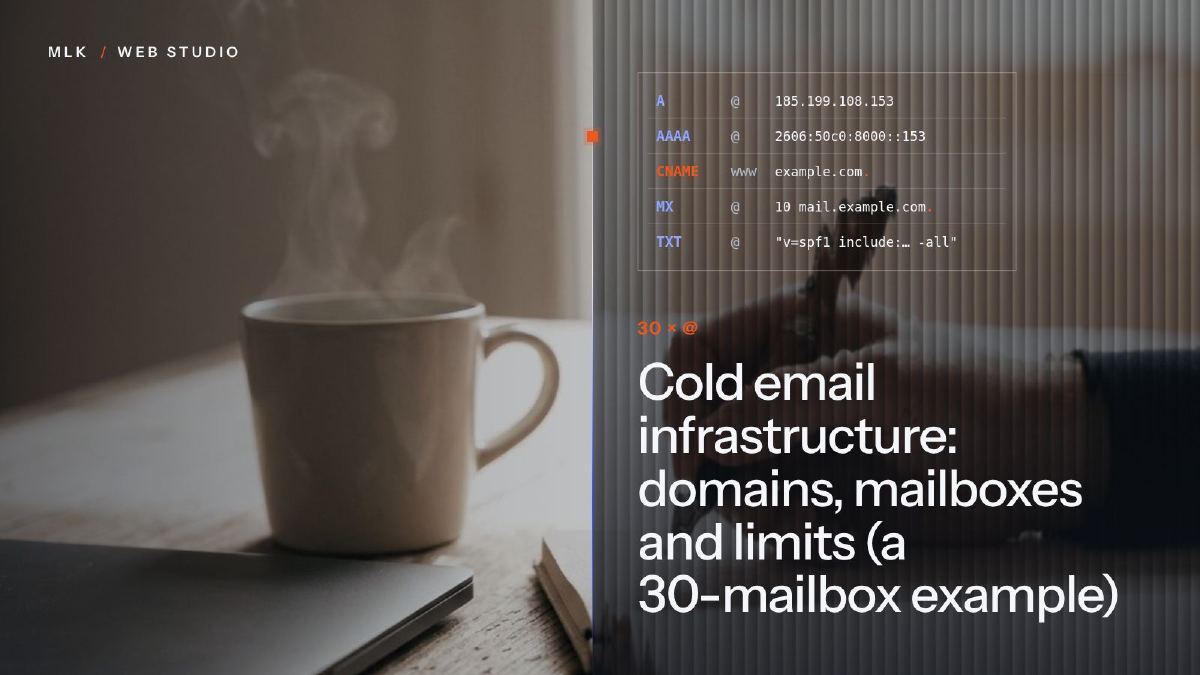 Cold email infrastructure: domains, mailboxes and limits (a 30-mailbox example)
Cold email infrastructure: how many secondary domains and mailboxes to buy, what each can send a day, the Gmail and Outlook rules, and a 30-mailbox example.
Cold email infrastructure: domains, mailboxes and limits (a 30-mailbox example)
Cold email infrastructure: how many secondary domains and mailboxes to buy, what each can send a day, the Gmail and Outlook rules, and a 30-mailbox example.
 Cold email examples: the three-line first email that gets calls
Cold email examples for small businesses: eight B2B templates of three lines, with no links and a phone number to call, plus what never goes in a first email.
Cold email examples: the three-line first email that gets calls
Cold email examples for small businesses: eight B2B templates of three lines, with no links and a phone number to call, plus what never goes in a first email.
 Cold email GDPR checklist: what PECR and UK GDPR allow in B2B
Cold email GDPR checklist for UK businesses: who you can email without consent under PECR, what UK GDPR asks for named contacts, and what changes in France.
Cold email GDPR checklist: what PECR and UK GDPR allow in B2B
Cold email GDPR checklist for UK businesses: who you can email without consent under PECR, what UK GDPR asks for named contacts, and what changes in France.