SEO for your app’s website: landing page, deep links and smart app banners
App landing page SEO, step by step: what to put on your app's website, SoftwareApplication markup, Universal Links, App Links and smart app banners.
Your app’s website competes on Google, not in the stores, so give it web keywords and a landing page that names the problem, with real screenshots, the official store badges, an FAQ and the privacy and support pages your store listings link to. Then connect it to the app: Universal Links and Android App Links open your web URLs in the app when it is installed, and Apple’s Smart App Banner invites iPhone visitors without hiding the page.
Your app’s store page and its website do different jobs. The store page competes in App Store and Google Play search; the website competes on Google, where people describe a problem or ask a question long before they open a store. App landing page SEO is the work of making that website rank for those searches, then passing visitors on to the app.
This guide covers the landing page, its keywords and structured data, and the two links between site and app: deep links and the smart app banner. It is part of my complete guide to launching a mobile app. An internal tool, like the one I built for Pilotech to follow up prospects and jobs, needs none of this: the guide is for apps you want strangers to find.
Why your app needs a website as well as a store page
In the App Store and Google Play, people type two or three words and pick from a list of icons and screenshots; my guide to app store optimisation explains how those results are ranked. On Google, the same people type “split bills with flatmates” or a question about a feature. Only a website can rank for those searches, and there are three more reasons to have one:
- AI assistants read the web. ChatGPT, Perplexity, Gemini and Google’s AI Overviews answer many questions from pages they find through search. A page that says what your app does, and for whom, gives them something to cite.
- Trust. Before handing an app their data or card details, many people look for the company behind it: a real address, a support page, a privacy policy.
- The stores ask for it. App Store Connect requires a Support URL, which “must lead to actual contact information”, and a Privacy Policy URL for iOS apps. Google Play asks every app, even one that collects no personal data, for a privacy policy link in Play Console (a public web page, not a PDF), and an app that lets people create an account must also give a web link where they can request its deletion, entered in the Data safety form.
What to put on your app’s landing page
A landing page has one goal, here getting the app installed (my comparison of a landing page and a website helps if you are unsure one page is enough). From top to bottom:
- A headline that names the problem in your users’ words, and one sentence on what the app does about it.
- Real screenshots of the screens that matter.
- The official store badges, each linking to your app’s page in that store.
- How it works, in three short steps.
- Proof: genuine reviews quoted with permission, or press mentions. Never invented ones.
- An FAQ on what people ask before installing: price, platforms, data, cancelling.
- Footer links to the privacy policy and support pages, at the URLs you gave the stores.
When I design a site, I want visitors to take the business seriously at first glance. For an app, that glance decides whether they tap a badge or close the tab.
The store badge rules
Apple’s App Store marketing guidelines ask you to use only its artwork, never modified, angled or animated; to pick the localised badge (there are 50, and “App Store” always stays in English); to leave clear space of a quarter of the badge’s height and keep it at least 40 px high on screen; to put the App Store badge first, in black, when other stores’ badges sit beside it; and to credit Apple and the Apple logo wherever your site gives its legal information.
Google’s rule is that its badge must be the same size as the other store badges, or larger. So put the App Store badge first, give both the same height, and use each badge in the language of the page.
App landing page SEO: target what people type on Google
Store keywords and web keywords overlap less than you would think, so research the web ones separately. My starting point is what people complain about: I use AI deep research to find the complaints and the words that come back most often in a niche, then check search volumes in Semrush. Reviews of competing apps and your own support emails are the best raw material. Then turn the research into pages:
- One page per use case. A bill-splitting app ranks better with a page for flatmates and another for group holidays than with one page covering both. Each ends with the badges.
- A title and a meta description per page, built around that page’s keyword.
- A blog for the questions that reach your support inbox, each article linking to the matching use-case page.
Then make sure Google finds the pages: my tutorial on getting a new website on Google covers Search Console and the sitemap. The rest is ordinary website work, covered in my guide to building a business website.
Build on a platform you can update yourself, because an app’s website changes with every release. For clients who edit their own site, I use Squarespace: they can change a sentence without the layout falling apart, and I add the custom code they need. Whatever you choose, check the requirement in the deep links section first.
Structured data: describe the app with SoftwareApplication
For an app, the schema.org type is SoftwareApplication, or the more specific MobileApplication. Google documents a software app rich result that can show a rating and the price in its results. It requires name, offers.price (0 for a free app) and either aggregateRating or review; applicationCategory is recommended (take the value from the list on Google’s page), and operatingSystem names the platforms the app runs on.
<script type="application/ld+json">
{
  "@context": "https://schema.org",
  "@type": "SoftwareApplication",
  "name": "Flatshare Bills",
  "operatingSystem": "iOS, Android",
  "applicationCategory": "FinanceApplication",
  "offers": {
    "@type": "Offer",
    "price": "0",
    "priceCurrency": "GBP"
  }
}
</script>
The example has no rating on purpose: add aggregateRating only when the rating is genuine and visible on the page, as Google’s guidelines ask. Without a rating or a review, the page cannot get the rich result, and Google’s Rich Results Test will say so, but the markup is still valid schema.org: check it in the Schema Markup Validator instead. Do not count on it to get the app quoted by AI assistants either; my guide to schema markup explains why.
Deep links: Universal Links and Android App Links
A deep link opens a specific screen of your app. The current method uses ordinary web addresses: https://example.com/bills/123 opens that bill in the app when it is installed, and the same page on your site when it is not. Apple calls these Universal Links; Android calls them App Links. One URL serves both, so the page keeps its SEO value and nobody lands on an error. Both rely on a file on your website that proves the domain and the app belong together.
iOS: the apple-app-site-association file
Create a file named apple-app-site-association, with no extension, at https://example.com/.well-known/apple-app-site-association:
{
  "applinks": {
    "details": [
      {
        "appIDs": ["ABCDE12345.com.example.bills"],
        "components": [
          { "/": "/bills/*", "comment": "Bill pages open in the app" },
          { "/": "/help/*", "exclude": true, "comment": "Help pages stay on the web" }
        ]
      }
    ]
  }
}
ABCDE12345 is your Team ID and com.example.bills the app’s bundle ID. Apple’s associated domains documentation requires HTTPS with a valid certificate and no redirects; in Xcode, the developer adds the Associated Domains capability with an entry such as applinks:example.com. One behaviour to know: someone browsing your site in Safari who taps a link to the same domain stays in Safari. The smart app banner is for them.
Android: the assetlinks.json file
Serve this file at https://example.com/.well-known/assetlinks.json:
[{
  "relation": ["delegate_permission/common.handle_all_urls"],
  "target": {
    "namespace": "android_app",
    "package_name": "com.example.bills",
    "sha256_cert_fingerprints": ["14:6D:E9:83:C5:73:06:50:D8:EE:B9:95:2F:34:FC:64:16:A0:83:42:E6:1D:BE:A8:8A:04:96:B2:3F:CF:44:E5"]
  }
}]
The app’s intent filter needs android:autoVerify="true", and Android’s App Links documentation asks for the content type application/json, HTTPS and no 301 or 302 redirect. The usual trap is the fingerprint: if Google Play signs your app (Play App Signing), your own key’s fingerprint will usually not match, so copy the snippet from the app signing page in Play Console. Since Android 12, a link that fails verification simply opens in the browser: no error appears, the app just does not open.
Check that your website platform can serve these files
Both files must answer at those exact addresses on your own domain, without a redirect. Some builders document a way to publish them (Framer does); on others, forum threads show people falling back on redirects, which Apple and Android reject. Ask your builder before you commit. If it cannot, serve the deep links from a subdomain such as go.example.com, on a host where you control the files.
To test, open both addresses in a browser (you should see the file, not a redirect), then try the links on a phone after a fresh install. Apple also warns that these links are a way into your app: it should validate every parameter and never let a link delete data or show sensitive information by itself. My mobile app security checklist covers the rest.
Deferred deep links after Firebase Dynamic Links
Opening the right screen after a new user installs the app is called deferred deep linking. Older tutorials recommend Firebase Dynamic Links for it, but Google shut the service down on 25 August 2025, and every link it served stopped working. Google’s suggested replacements, App Links and Universal Links, do not cover the deferred part, which now comes from third-party deep-linking and attribution services. Replace any old page.link addresses, and links on a custom domain you set up for the service, in your emails, QR codes and print.
Smart app banners: invite visitors without blocking the page
Apple’s Smart App Banner is a slim bar that Safari shows at the top of the page on iPhone and iPad, opening your app if it is installed and its App Store page if not. Add this tag to the <head> of each page concerned:
<meta name="apple-itunes-app" content="app-id=123456789, app-argument=https://example.com/bills/123">
app-id (required) is the number shown as Apple ID in your app’s information in App Store Connect; app-argument (optional) is a URL passed to the app so it opens the matching screen. Once closed, the banner does not come back, and it stays hidden on devices that cannot run the app or where the app is unavailable. On Squarespace, the tag goes in the header field of code injection.
Do not swap the banner for a full-screen “download our app” pop-up. Apple contrasts its banner with “a full screen that interrupts” the visitor, and Google’s Search Central guidance on intrusive interstitials asks for a banner that takes up a small part of the screen, so that visitors and search engines reach the content straight away. For Android visitors, a light banner of your own fits that guidance: one line of text, the Google Play badge and a close button, shown only on Android and hidden once closed.
Before launch: a checklist for your app’s website
- Landing page live: problem-led headline, real screenshots, both badges (App Store first, same height), FAQ.
- Privacy and support pages published, with their URLs in your store listings, plus the account deletion link if users create accounts.
- One page per use case, each with its own title and meta description; site added to Google Search Console.
- SoftwareApplication markup with no rating you cannot show, checked in the Schema Markup Validator.
- Both association files served at their
.well-knownaddresses over HTTPS with no redirect; links tested on a fresh install. - Smart App Banner tag where it helps; a light, closable banner for Android visitors.
- Old Firebase Dynamic Links replaced everywhere.
Most of this needs no developer: the pages, keywords, badges and banner tag are website work you can do yourself. The association files and the settings inside the app belong to whoever builds the app, so send them this page.
Frequently asked questions
Can I put my App Store rating in my website's schema markup?
How long does Apple take to pick up a change to the apple-app-site-association file?
Do example.com and www.example.com need separate association files?
How do I send desktop visitors to the app?
Joana MehouWeb designer, SEO and cold emailing specialist
Joana Mehou has been building websites since the age of eleven and founded MLK Web Studio in 2021, between London and Paris: websites, SEO, cold emailing and automation for small businesses in the UK and France, with honest advice, including when you do not need to hire anyone.
More about the studioThe searches your clients type, the pages that answer them, the technical work behind.
 App Store Optimisation (ASO) for beginners: how the App Store and Google Play rank apps
App store optimization for beginners: how the App Store and Google Play rank apps, what Apple and Google document, and the first fixes worth making.
App Store Optimisation (ASO) for beginners: how the App Store and Google Play rank apps
App store optimization for beginners: how the App Store and Google Play rank apps, what Apple and Google document, and the first fixes worth making.
 Landing page vs website: which one does your business need?
Landing page vs website: which one ranks on Google, which one suits Google Ads or cold email, what each costs, and why most small businesses need both.
Landing page vs website: which one does your business need?
Landing page vs website: which one ranks on Google, which one suits Google Ads or cold email, what each costs, and why most small businesses need both.
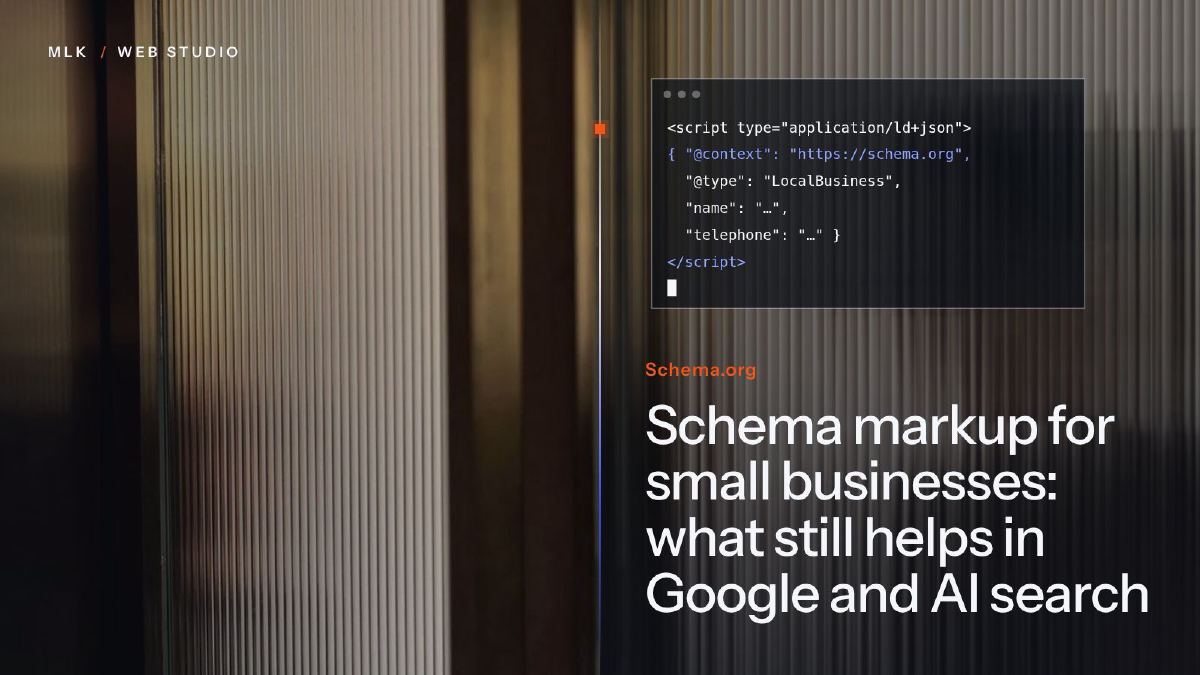 Schema markup for small businesses: what still helps in Google and AI search
Schema markup in 2026: the types that still help a small business in Google, what AI search really does with them, and JSON-LD code to copy and test.
Schema markup for small businesses: what still helps in Google and AI search
Schema markup in 2026: the types that still help a small business in Google, what AI search really does with them, and JSON-LD code to copy and test.